Streamlining Infrastructure Mapping for Metro-X
When an outage hits, every minute costs money. DevOps teams at Amdocs were spending 40% of incident response time just figuring out what's connected to what. I designed the system that gave them that answer in seconds.
👤 Role
Lead UX Designer
💼 Industry
Enterprise B2B
📅 Duration
6 month
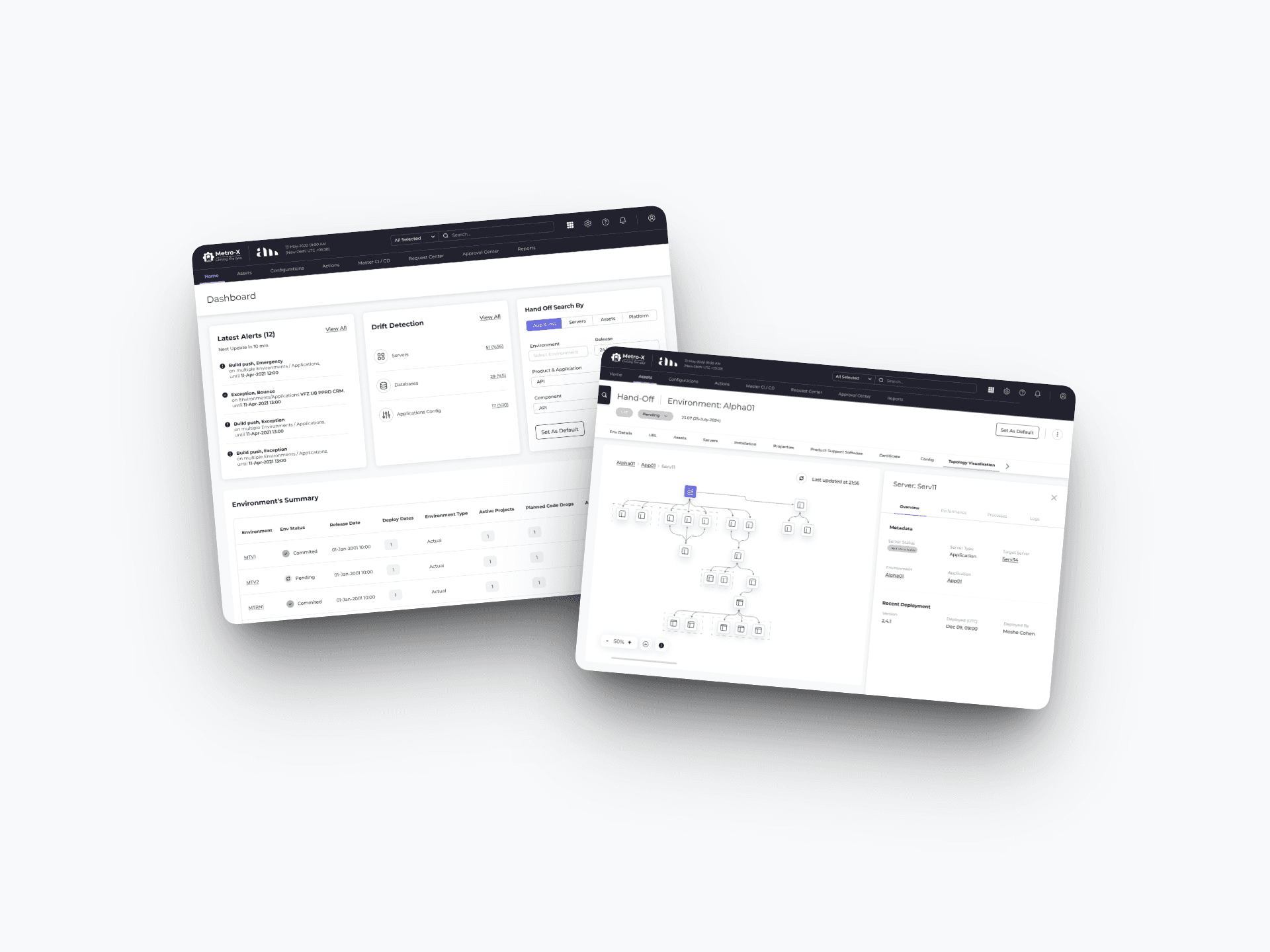
Context
Metro-X is an enterprise infrastructure management platform designed for DevOps and infrastructure teams.
Teams rely on Metro-X : to manage complex ecosystems composed of environments, servers, applications, databases, load balancers, and more. Fast, accurate understanding of how these entities are connected is critical for troubleshooting, change management, and maintaining uptime.
I collaborated with
1 PM, 2 backend engineers, 1 frontend engineer, SRE advisors from client teams
What I owned:
Research strategy and stakeholder alignment
Information architecture for the topology system
Interaction model and progressive disclosure framework
Design system extensions (12 new infrastructure icons)
Phased release strategy (negotiated with PM and engineering)
Problem
Enterprise DevOps teams at Amdocs were burning 40% of incident response time manually mapping infrastructure dependencies through spreadsheets and static diagrams. Critical outages stretched 5+ hours due to inability to quickly identify impacted systems across complex telecom environments.
Solution
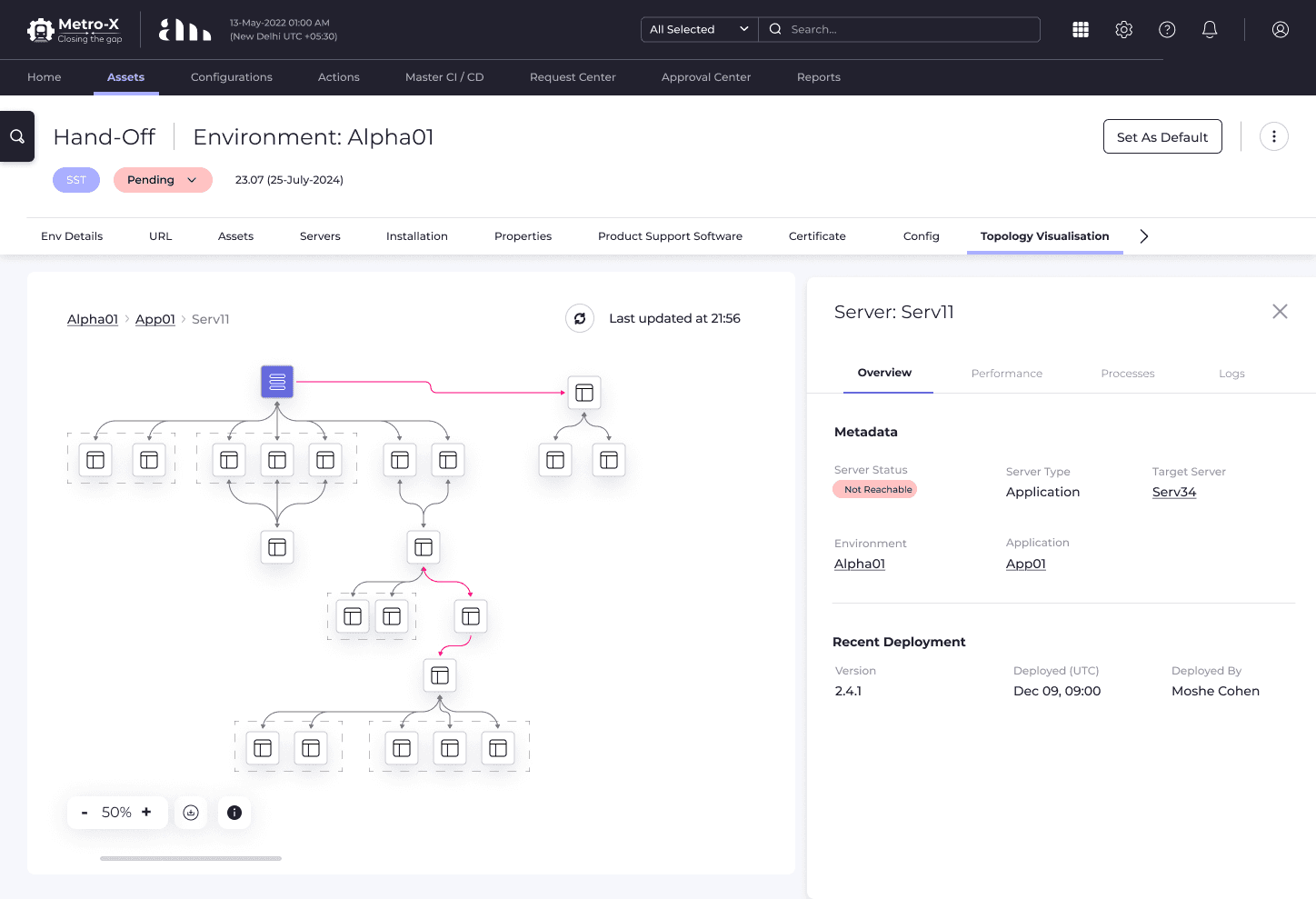
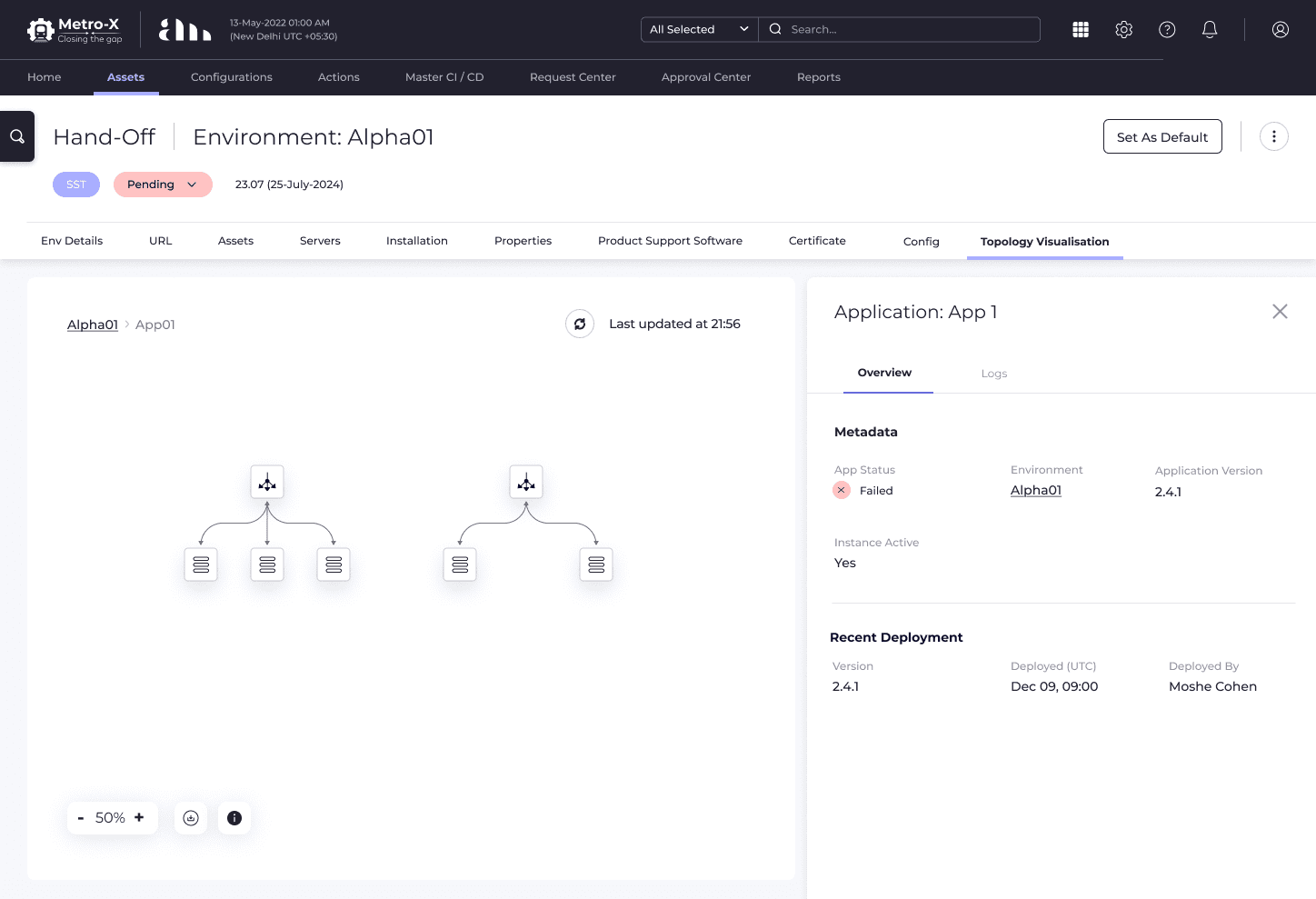
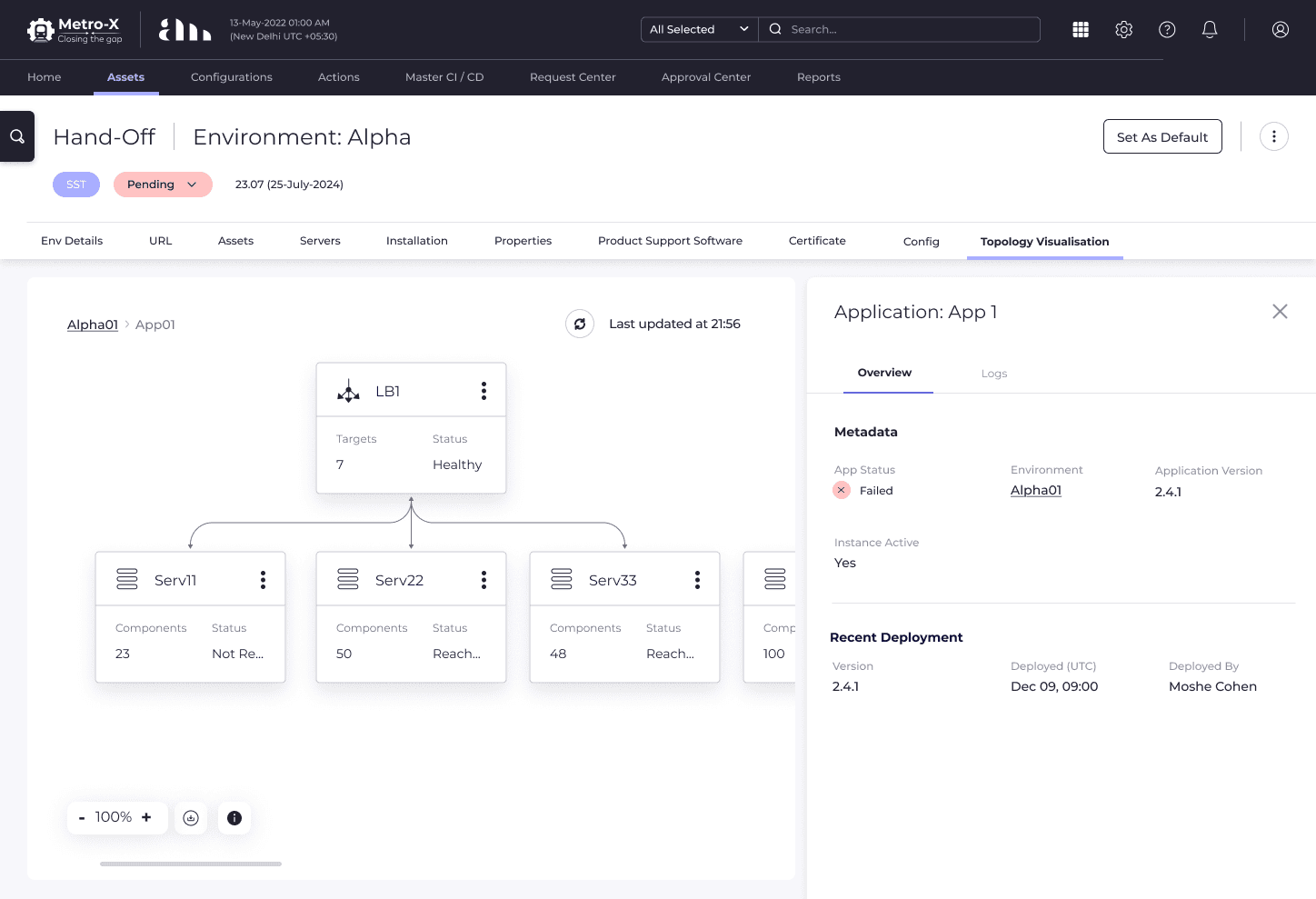
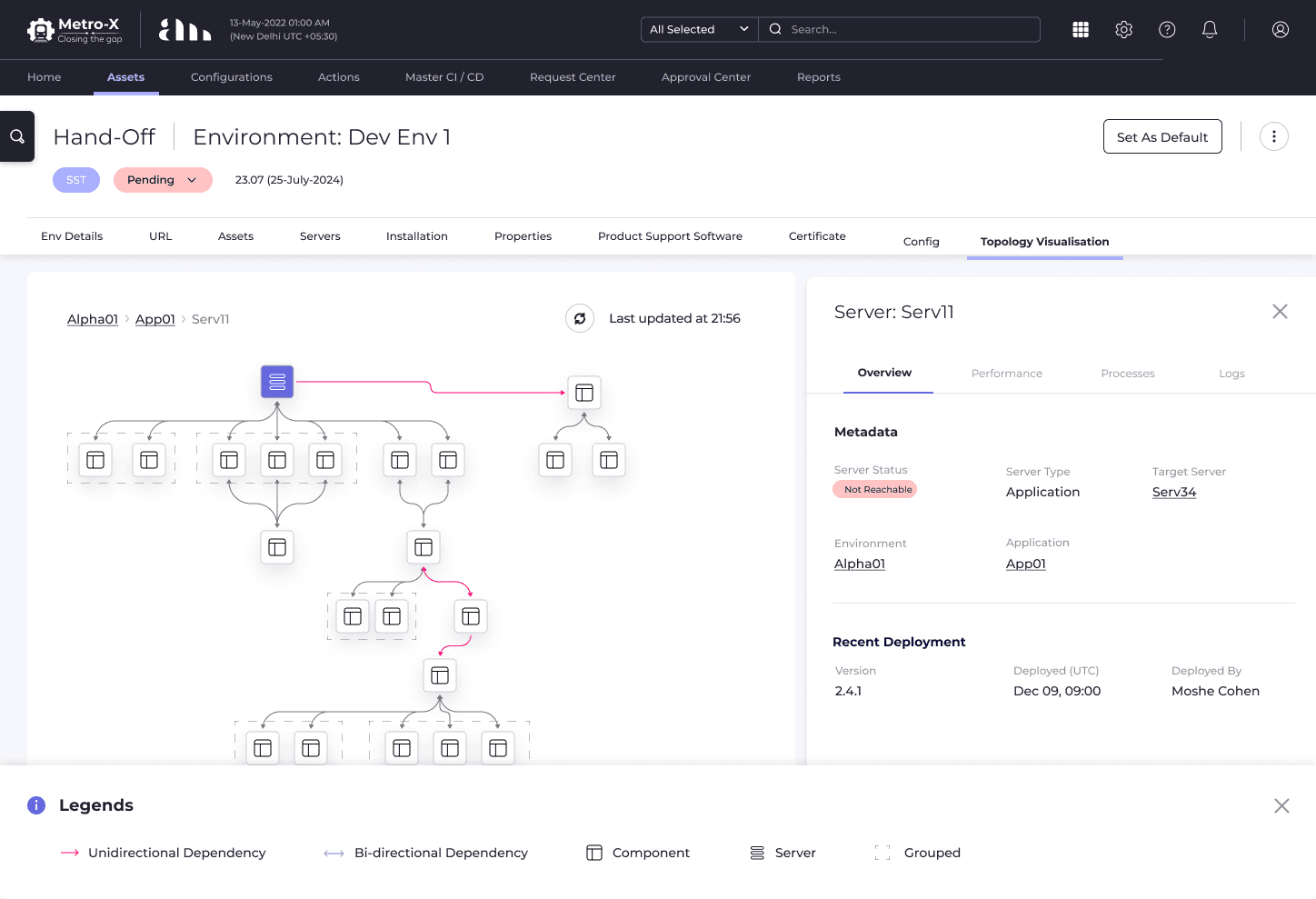
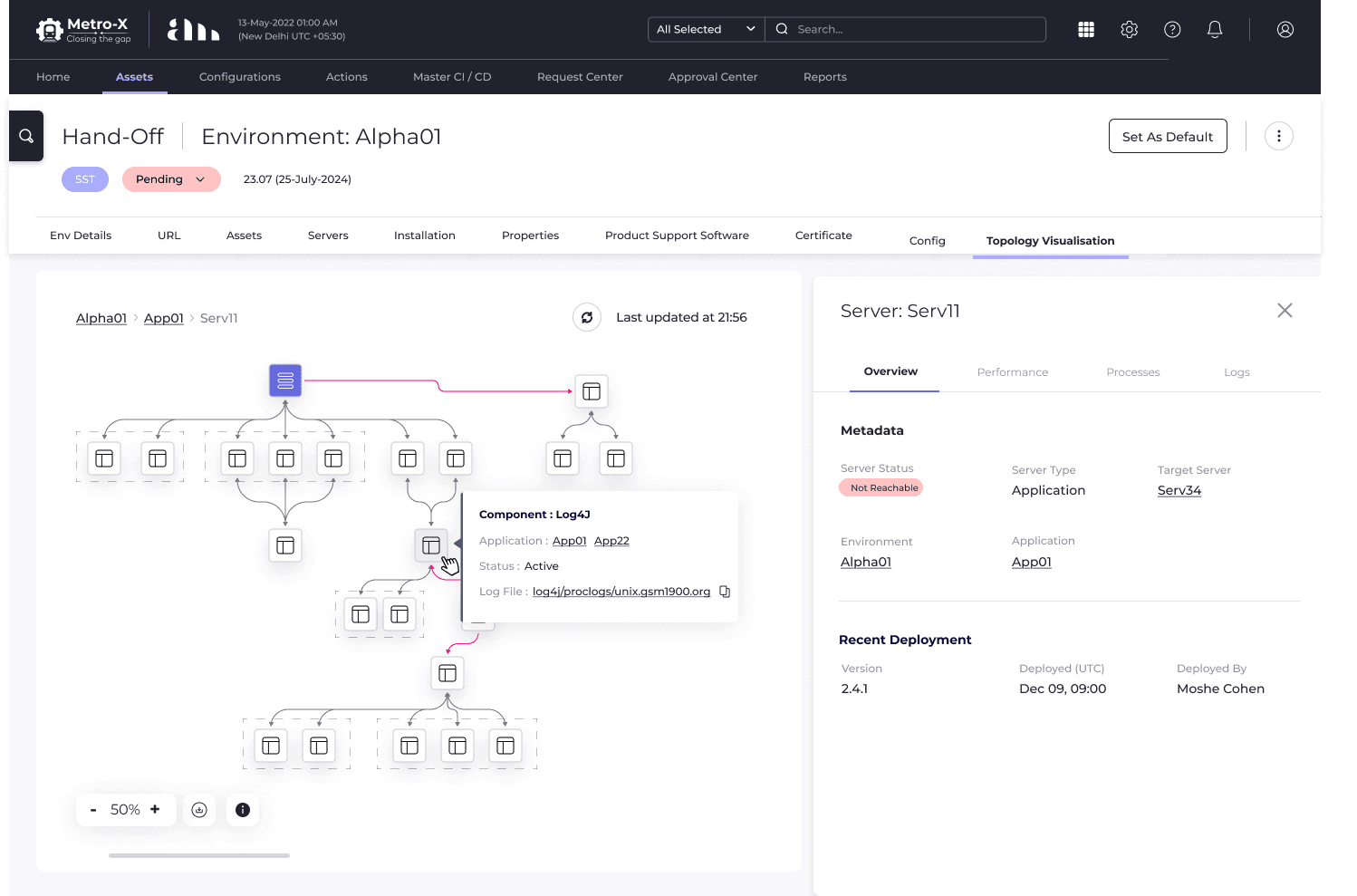
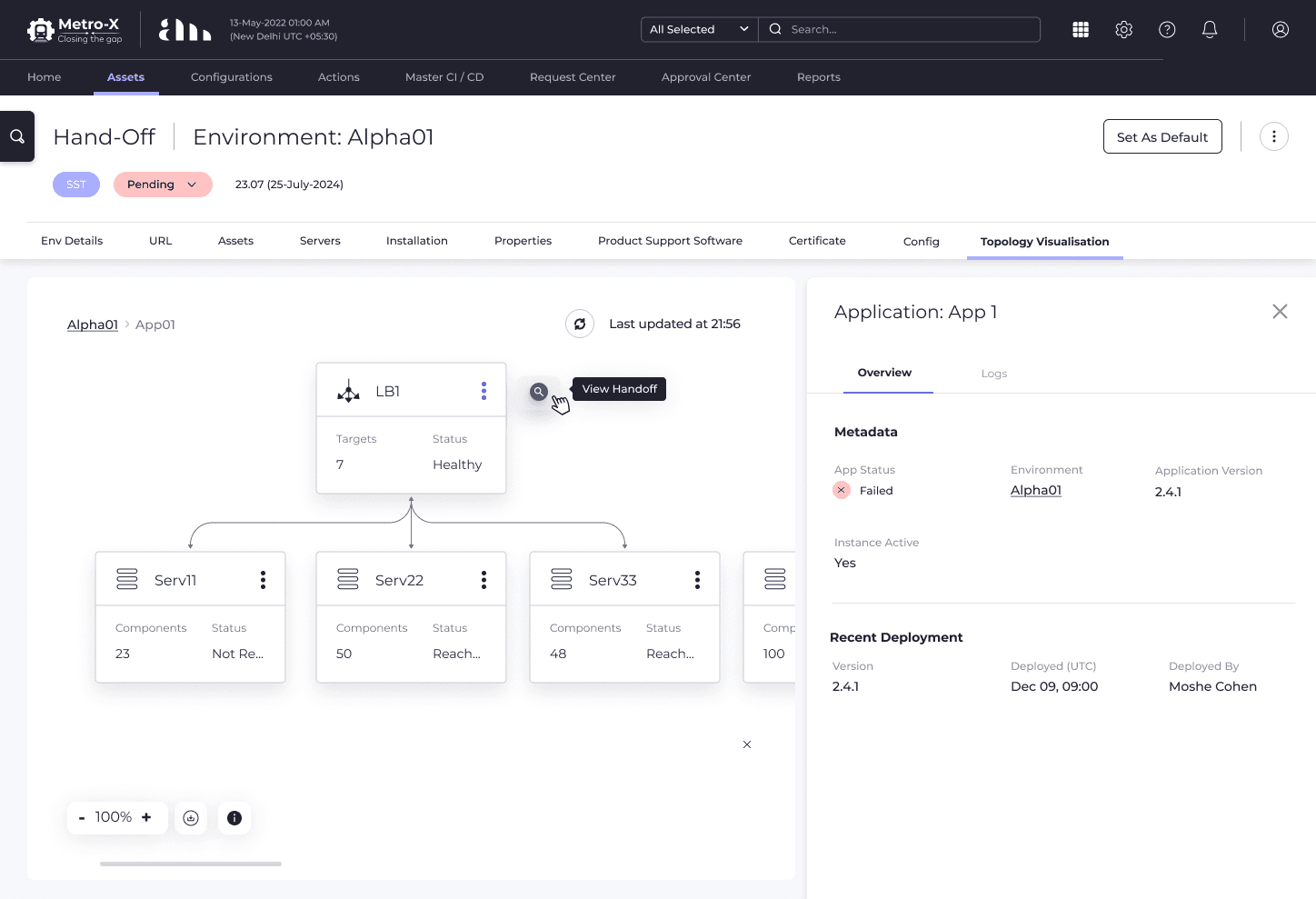
I designed an phased, interactive, real-time topology visualization that automatically maps relationships between servers, applications, and databases and other entities of infrastructure ecosystem. Used progressive disclosure approach to prevent cognitive overload while enabling deep-dive analysis when needed.
Impact
35–50%
Faster incident resolution
productivity
better SLA compliance
Scroll down to dive deeper
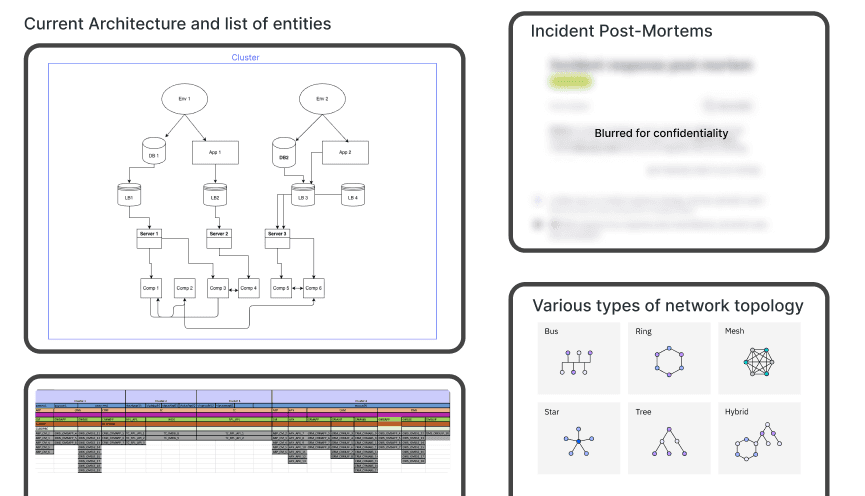
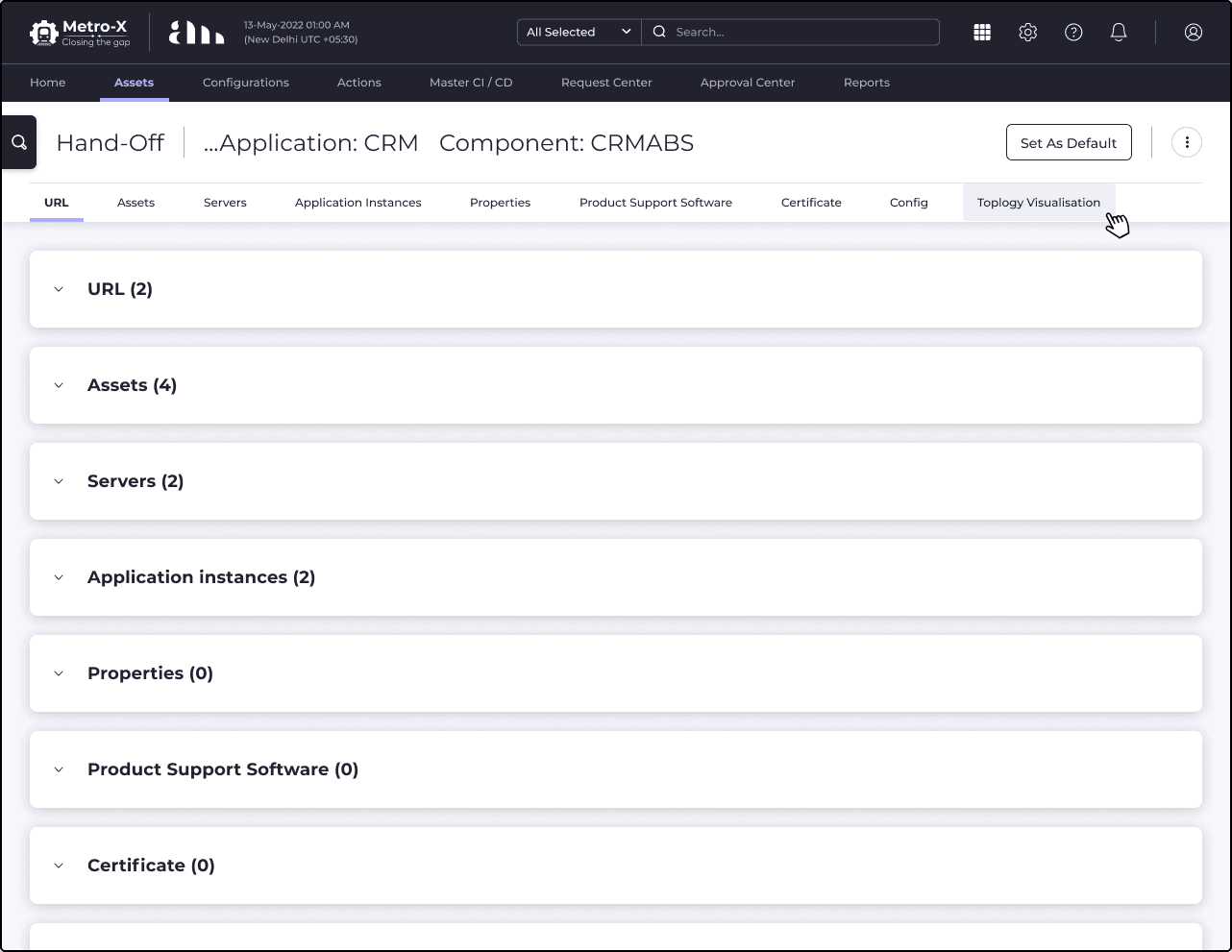
Image 2 : Screenshots of current tools and systems in place and also compared topology structures (star, mesh, tree, bus, hybrid) to assess readability, scalability, and cognitive load for large graphs.
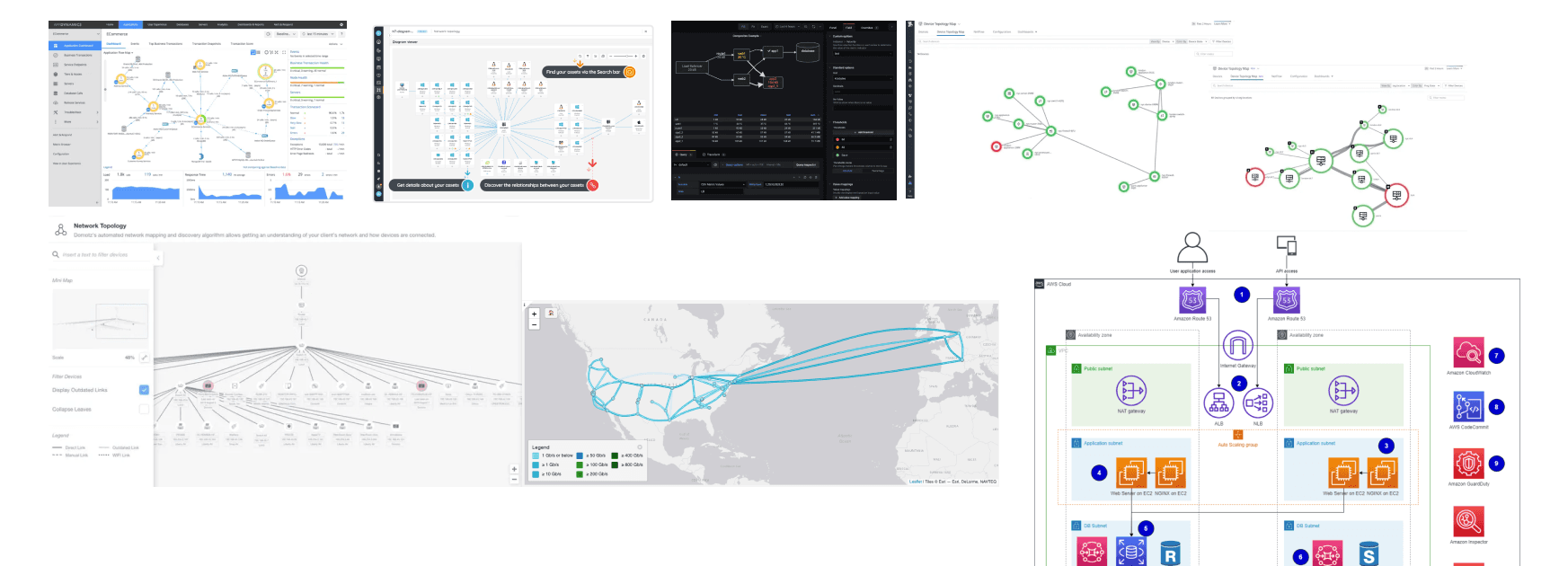
Image 3 : Explored ecosystem visualization in Datadog, Dynatrace, AppDynamics, Grafana to derive interaction and legend conventions, and to set performance expectations.
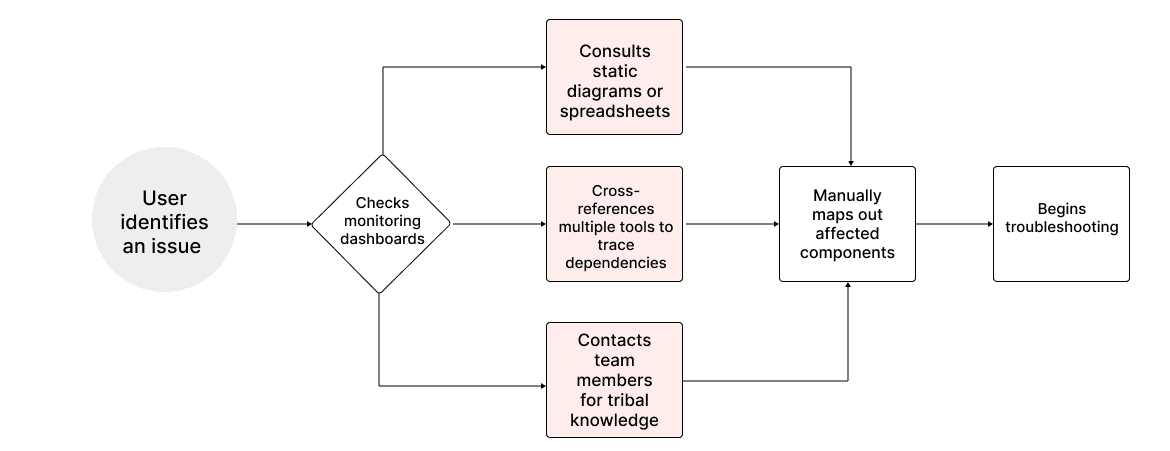
Image 4 : Current Workflow of teams
Key Research Insights
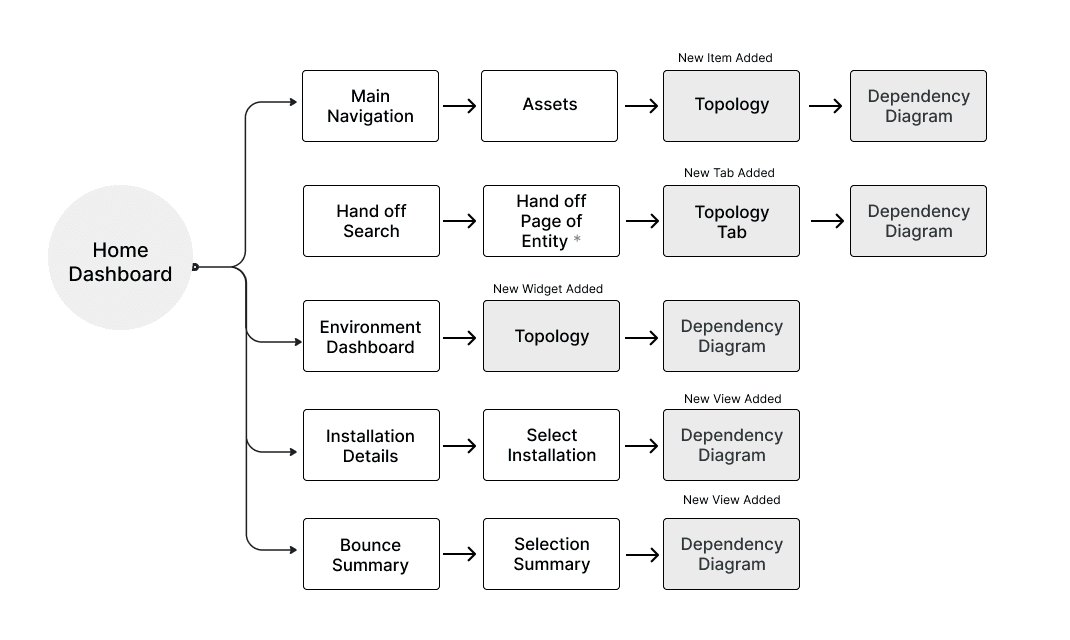
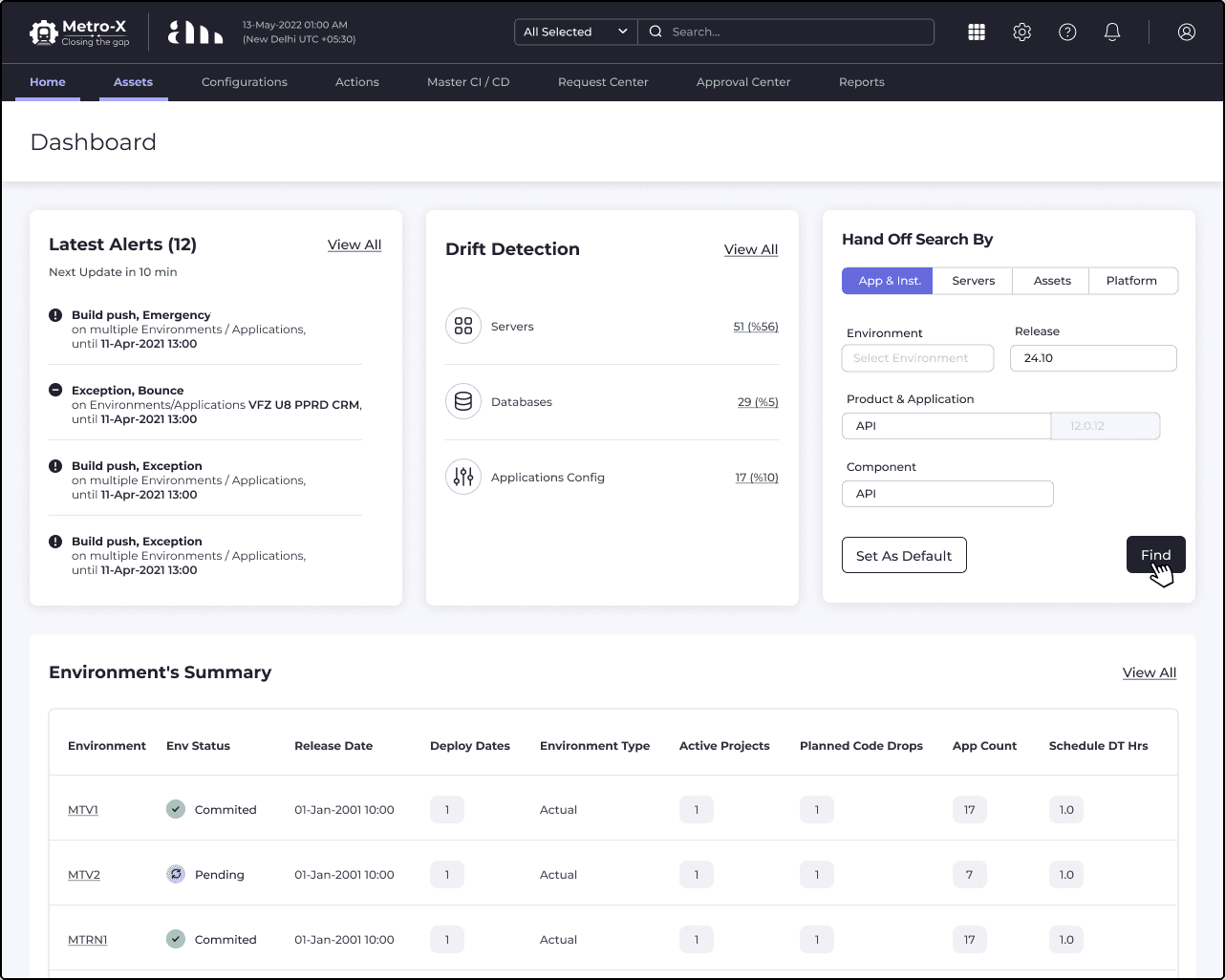
Image 5 : Entry points from dashboard home.
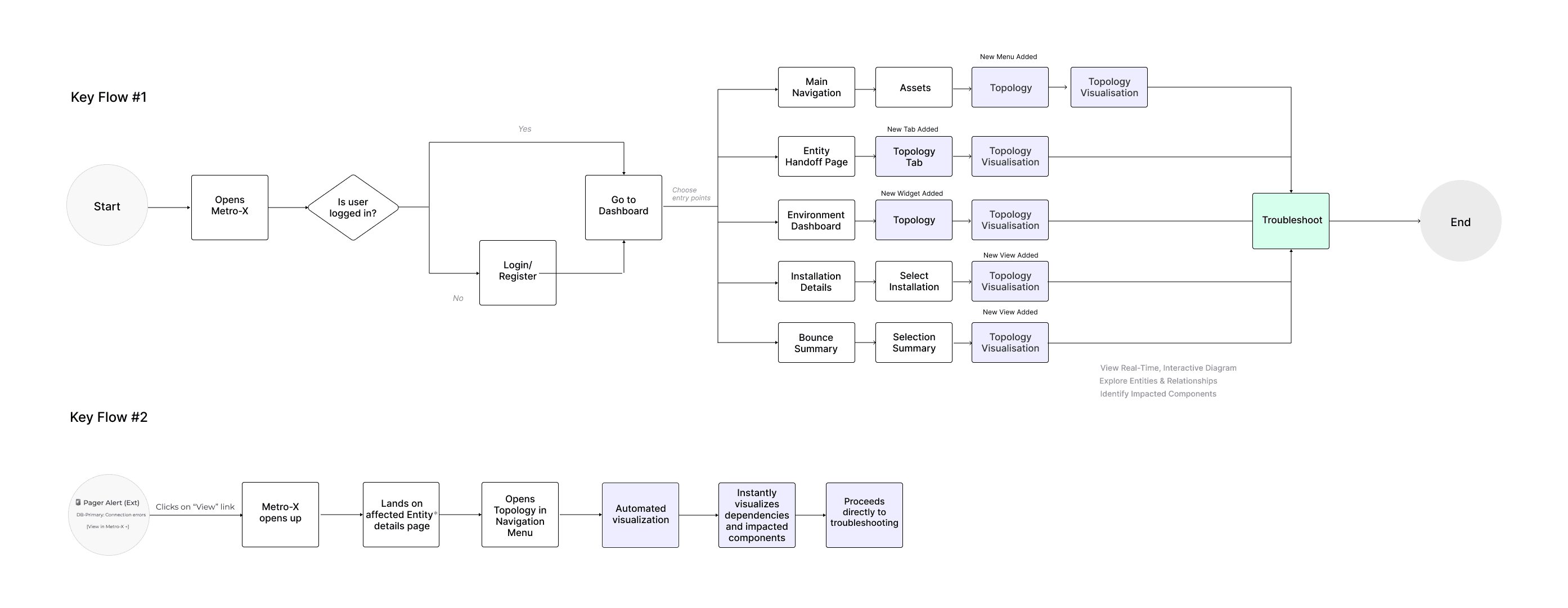
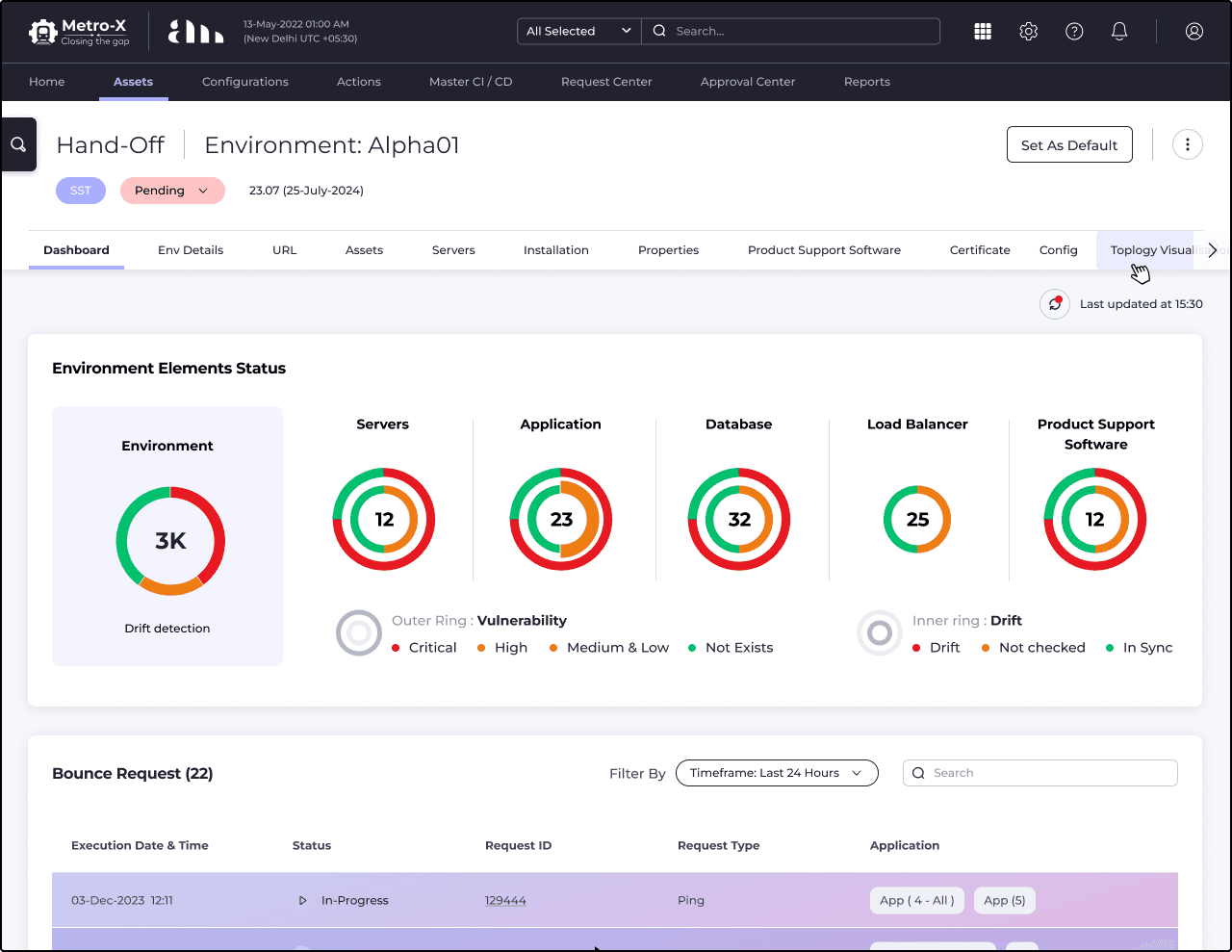
Image 6 : After identifying key entry points, I mapped the new user flow to illustrate how users would seamlessly access and utilize the topology feature for troubleshooting and dependency mapping.
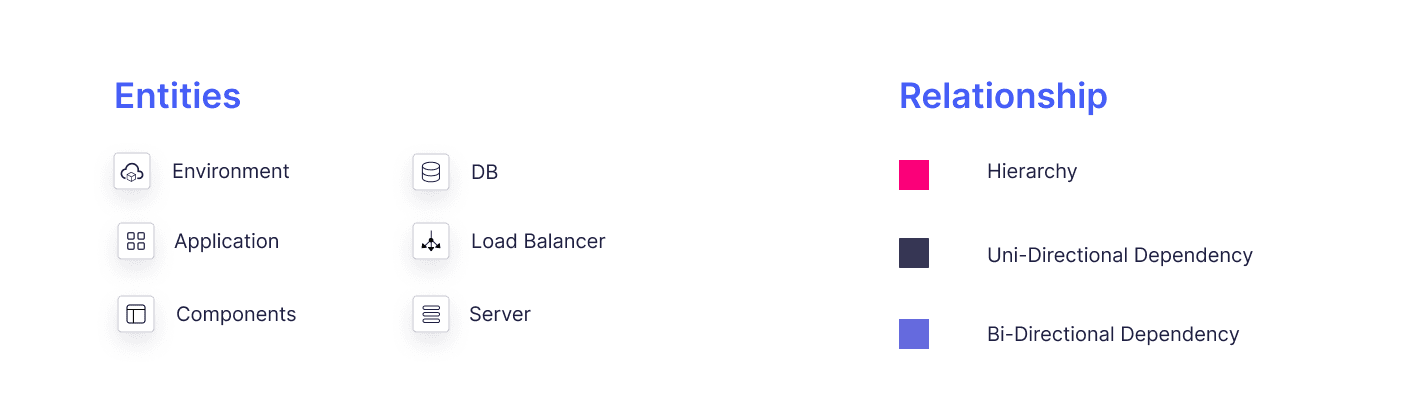
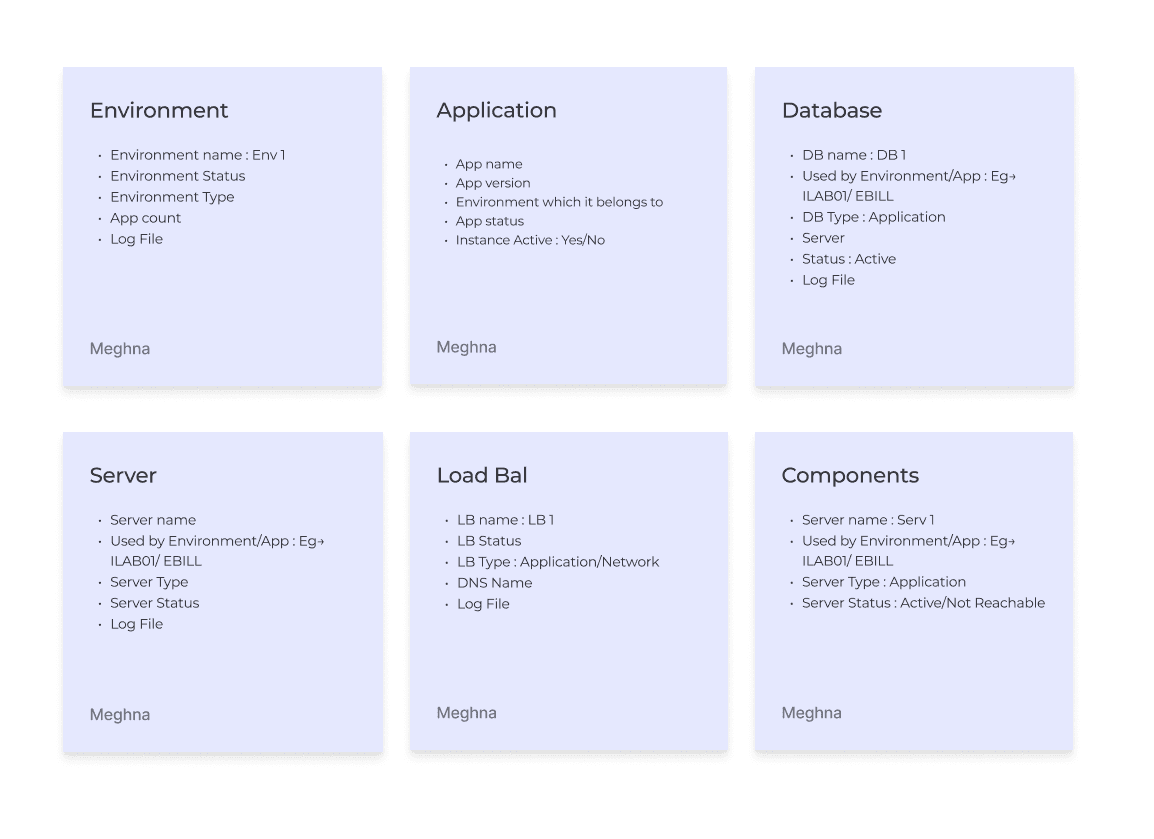
Image 7 : E-R Mapping and Feasible Key Information
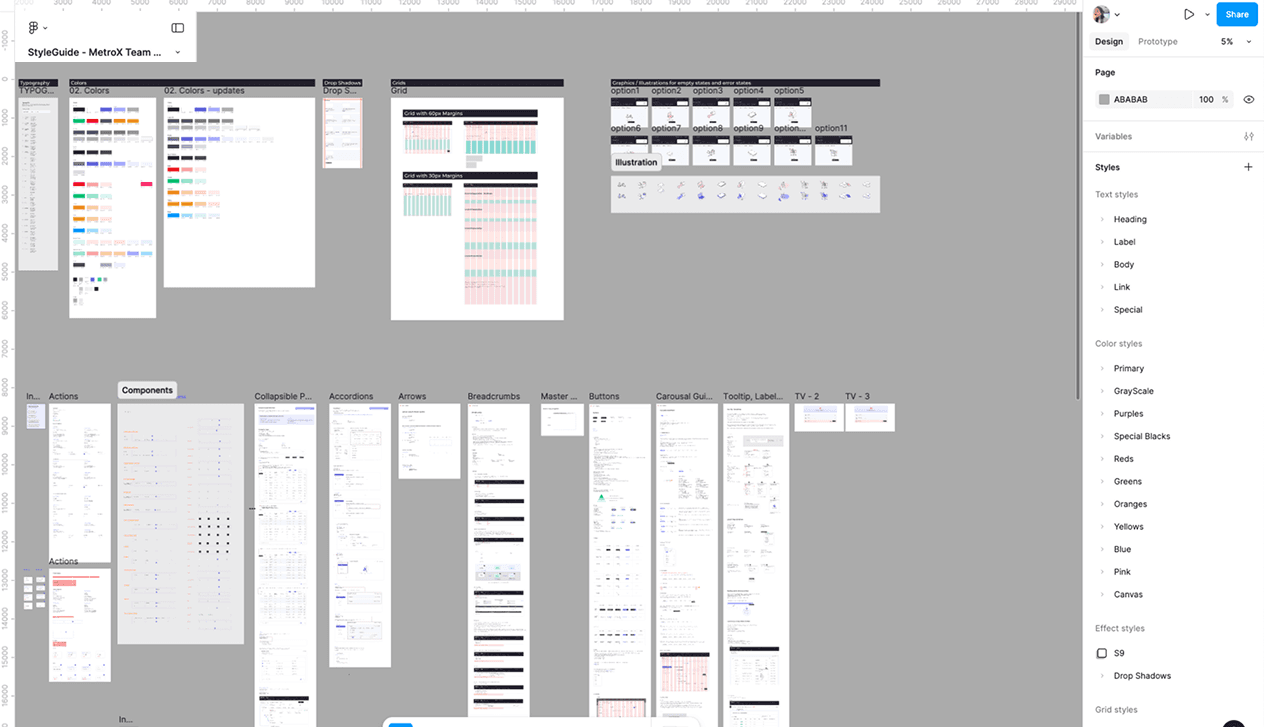
Image 8 : Metro-X Design System
See also

Streamlining Design operations | Toronto JS
A case study on how I solved async collaboration challenges for TorontoJS design team

Boosting Sales Team Impact and Empowering Sales Representative with a Seamless Portal
Amdocs sales representatives were ditching their own proposal software halfway through deals—they switched to Excel, emailed rough copies, and lost track of changes. This tool, meant to speed up sales, was actually making things slower. I fixed it with a redesign.
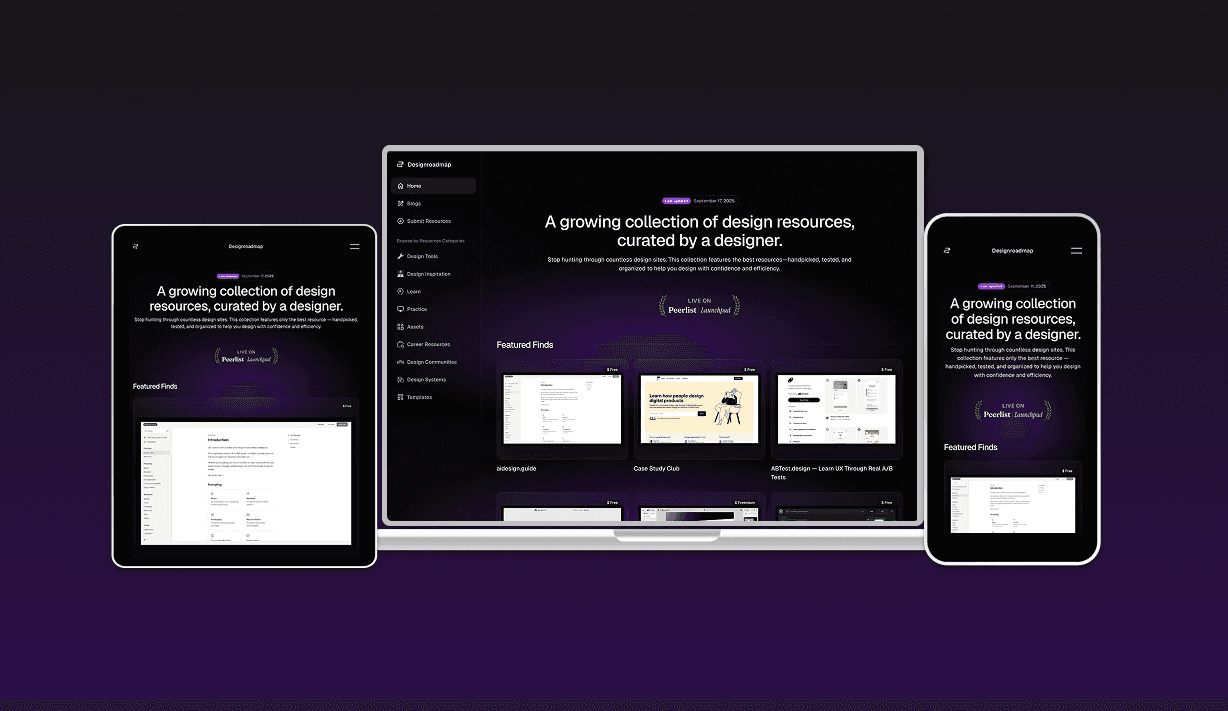
From Scattered Bookmarks to Strategic Curation: Building Designroadmap
How solving my own resource discovery problem became Designroadmap—a focused, quality-first alternative to overwhelming design directories