Boosting Sales Team Impact and Empowering Sales Representative with a Seamless Portal
Amdocs sales representatives were ditching their own proposal software halfway through deals—they switched to Excel, emailed rough copies, and lost track of changes. This tool, meant to speed up sales, was actually making things slower. I fixed it with a redesign.
👤 Role
UX/UI Designer
💼 Industry
Enterprise
📅 Duration
6 month
Context
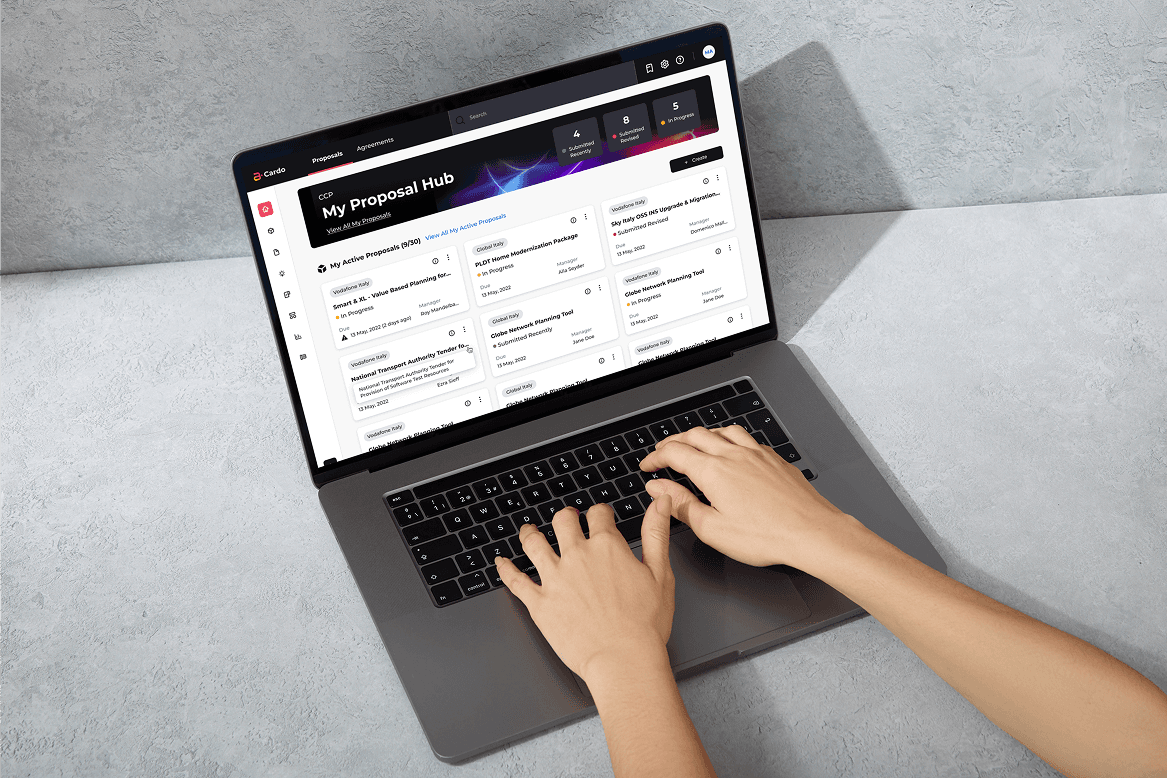
Cardo DD is an internal web portal used by Amdocs' sales teams to manage business proposals, agreements, and related documents. As a mission-critical tool tied directly to revenue generation, it's supposed to streamline the process of creating, tracking, and sharing proposal materials with clients and internal stakeholders.
My Responsibilities
Research strategy (stakeholder interviews, user observations, heuristic evaluation)
Information architecture redesign
Interaction design and visual design
Design system integration
Usability testing and iteration
Cross-functional alignment and design advocacy
Handoff and implementation support
Who I Collaborated With
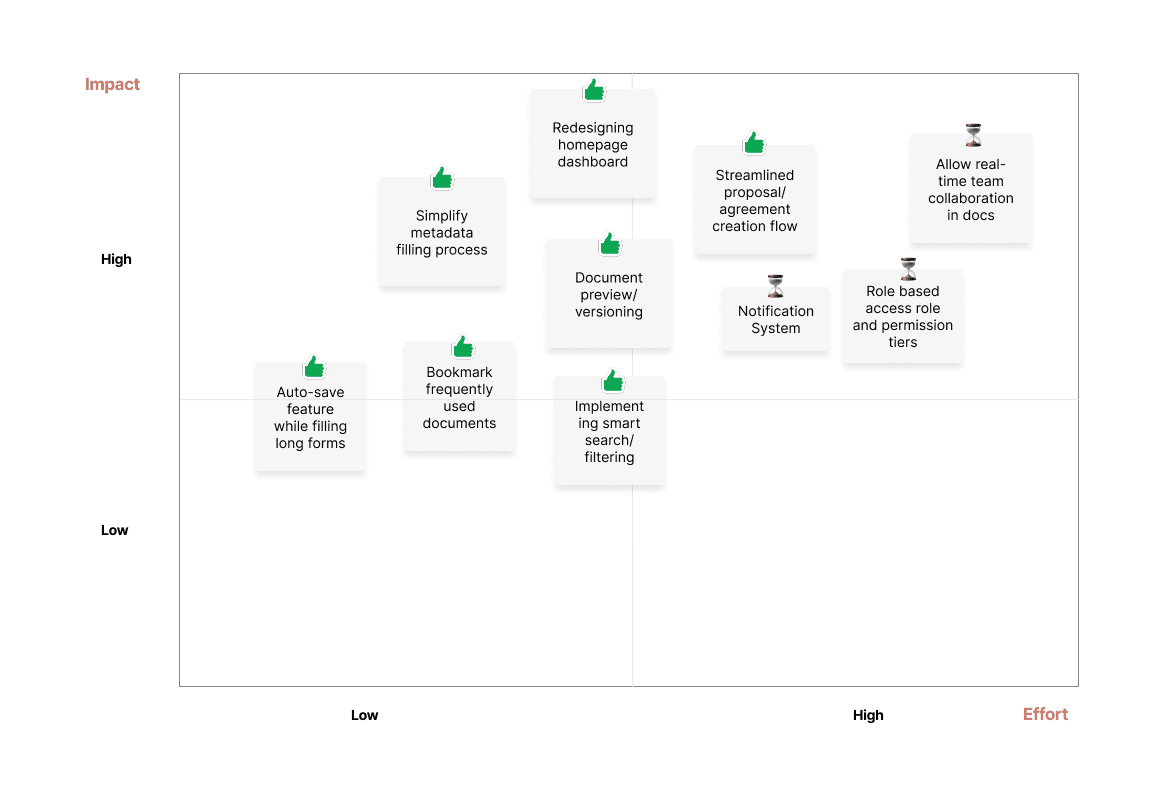
Product Manager (scope and prioritization)
Engineering team (feasibility, technical constraints)
Sales reps and proposal managers (research, validation)
Legal and business stakeholders (requirements, compliance)
Problem
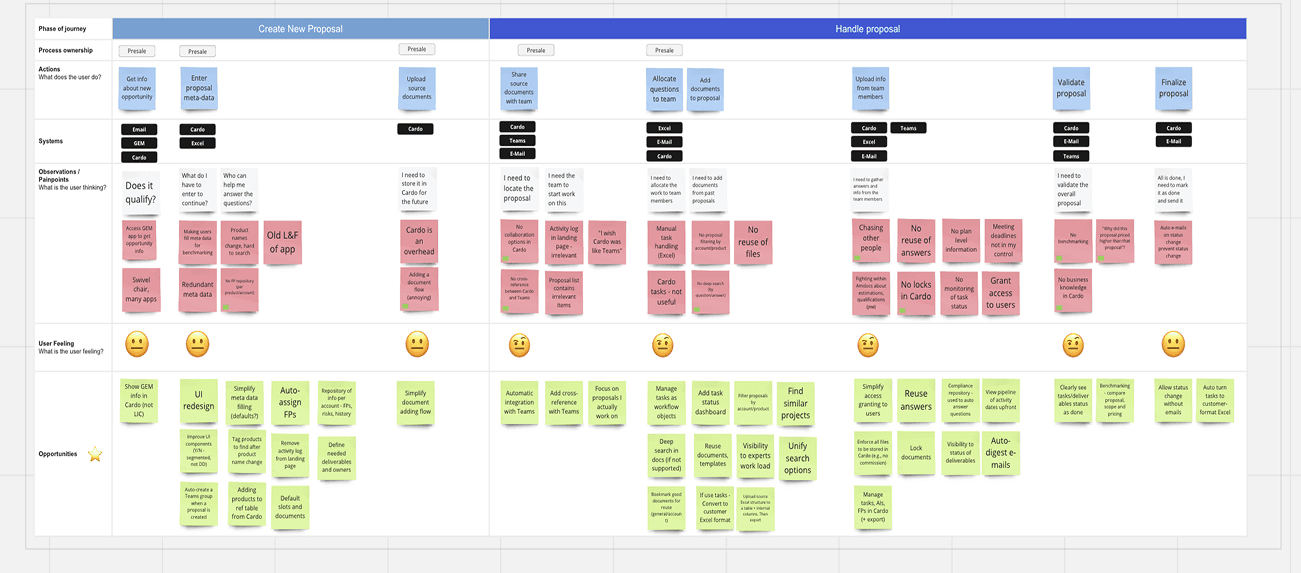
Sales reps clicked through 6+ screens to find a document. Legal approvals stalled because version history was unclear. Collaboration happened in Slack and email, which meant the tool—and its data—wasn't trusted.
Impact Metrics
↑ ~58% faster
Time to create a proposal
Creation flow
Support Ticket
Scroll down to dive deeper
Design Decisions: How Research Became Solutions
Decision #1: Task-Based Information Architecture
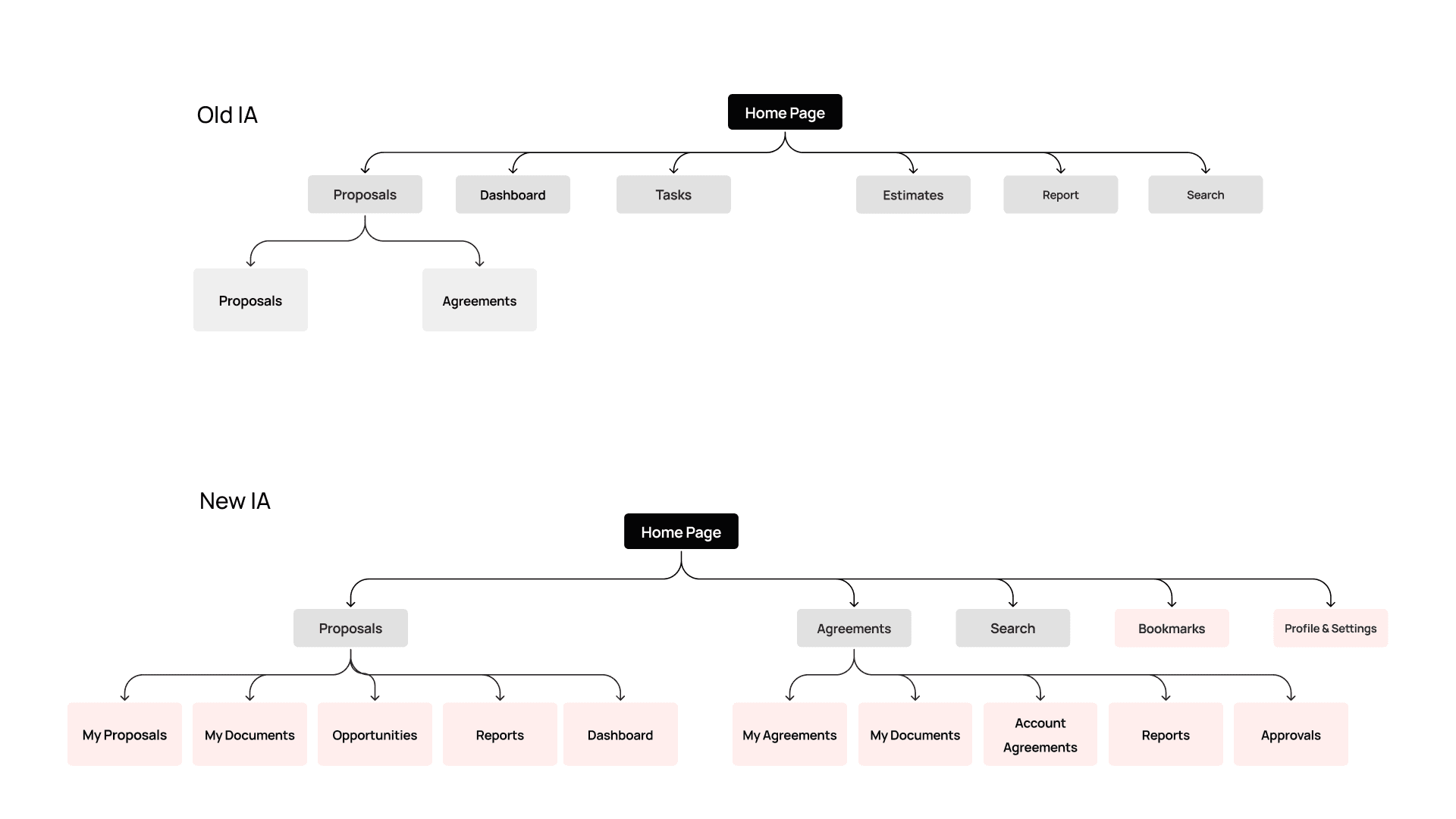
The Change: Reorganized navigation around user intent (My Proposals, My Agreements, Search, Bookmarks) instead of system taxonomy (Proposals, Dashboard, Tasks, Estimates).
Why This:
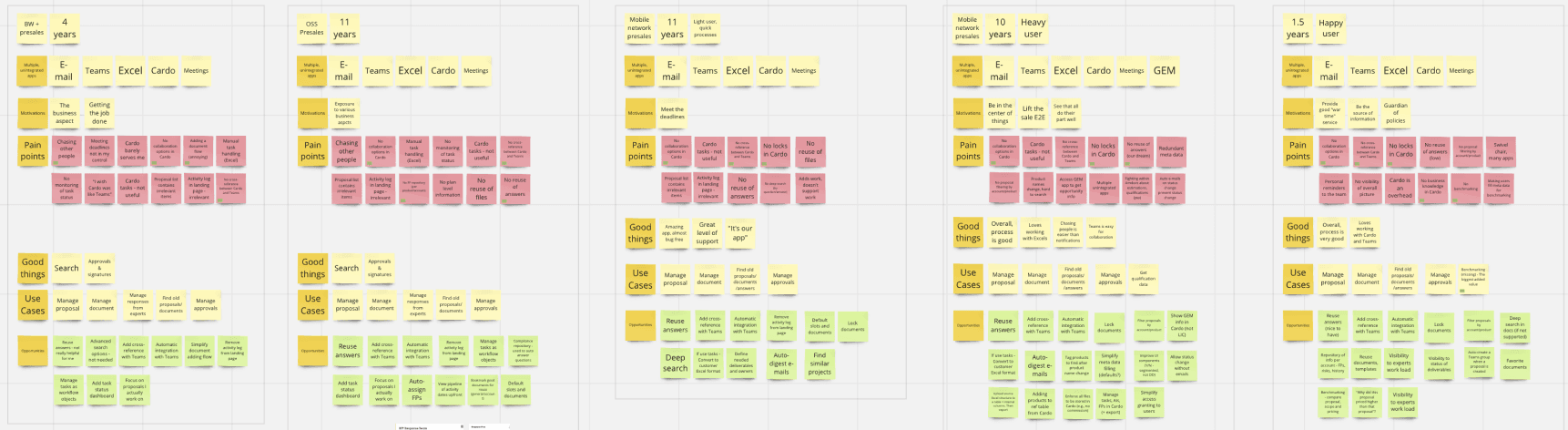
Research showed users thought in terms of "my work" and "find something," not document types
Observation sessions revealed that 90% of tasks started with "Where's my proposal?" or "Where's my agreement?"—not "Let me check the dashboard"
Reduced navigation depth—proposals and agreements became top-level with clear sub-categories
What I Traded Off:
Some power users initially looked for "Dashboard" in the top nav (old muscle memory)
We added breadcrumbs and contextual labels to ease the transition
Decision #2: Dashboard as Command Center
The Change:
Redesigned the homepage to function as a personalized hub—recent proposals, recent documents, and direct "create" actions all in one view.
Why This:
70% of user sessions started with "Where's the proposal I was working on?"
Competitive analysis (Salesforce, HubSpot) showed dashboards reduce cognitive load
Eliminated the "Recent Activity" widget that cluttered the old design (it showed irrelevant data)
What Shipped:
Hero banner showing aggregate stats (4 Submitted Recently, 8 Submitted Revised, 5 In Progress)
Card-based layout for proposals/agreements with key metadata (due date, manager, status)
"View All My Active Proposals" link for deeper exploration
Use the Slider in center to view BEFORE and AFTER design.
Decision #3: Consolidated Detail Page with Progressive Disclosure
The Change:
Redesigned the proposal/agreement detail page with:
Tab-based navigation (General Info, Deliverables, Team, Source Documents, Internal Documents, Timeline, Tasks, Opportunity) instead of cluttered left sidebar
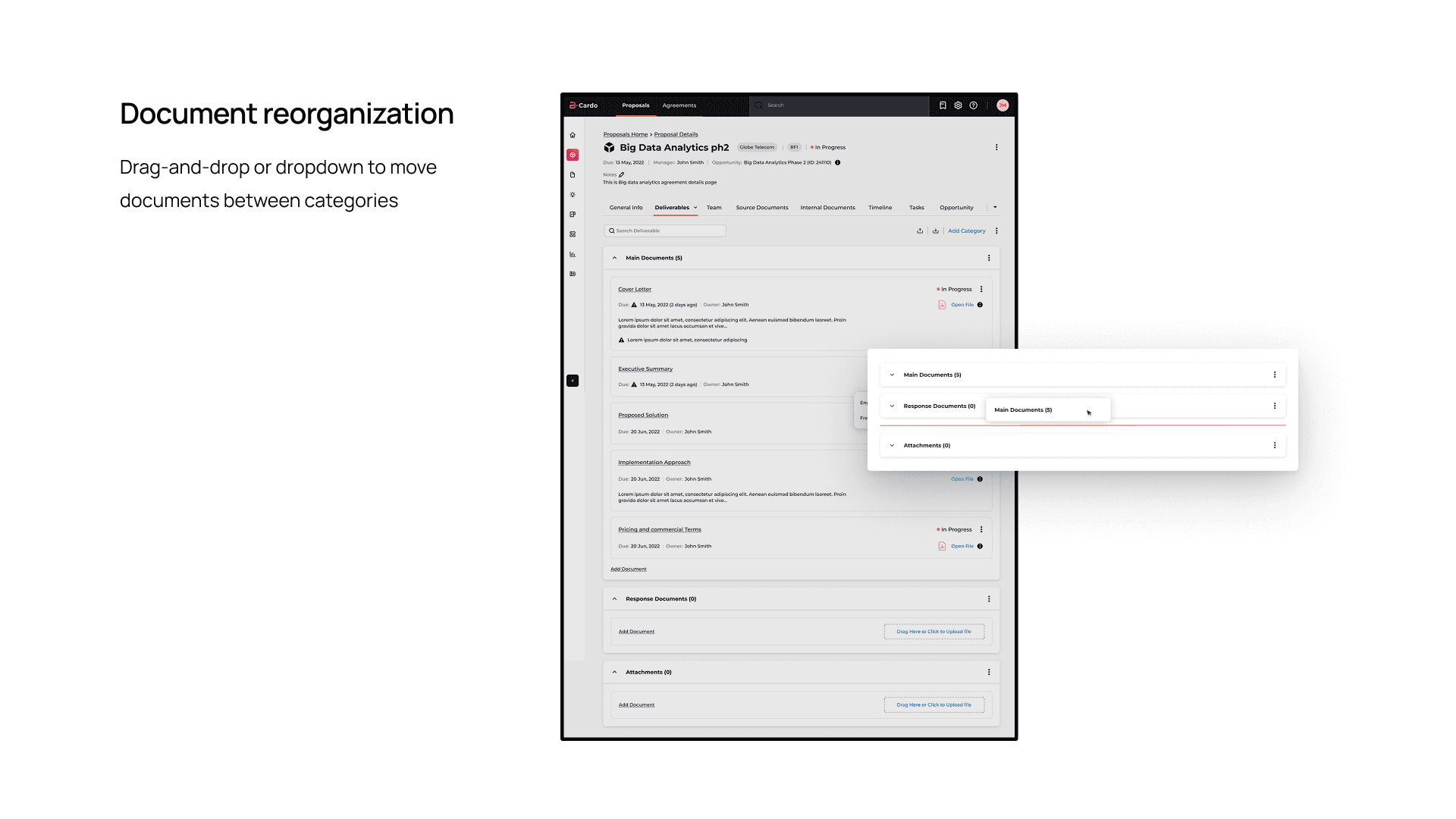
Reorganized document categories with ability to rename, reorganize, and perform actions
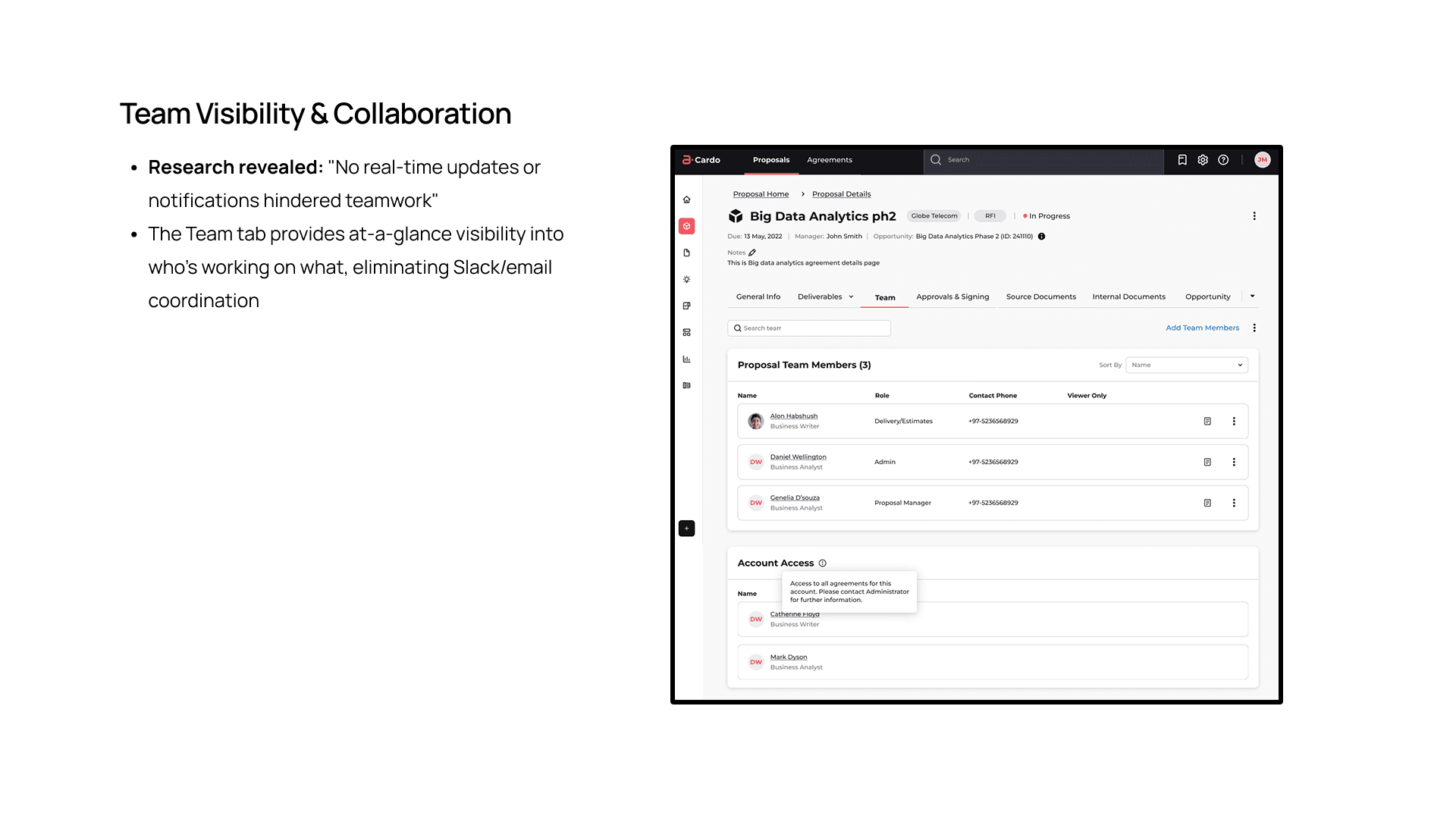
Team visibility showing who's working on what (addresses collaboration gap)
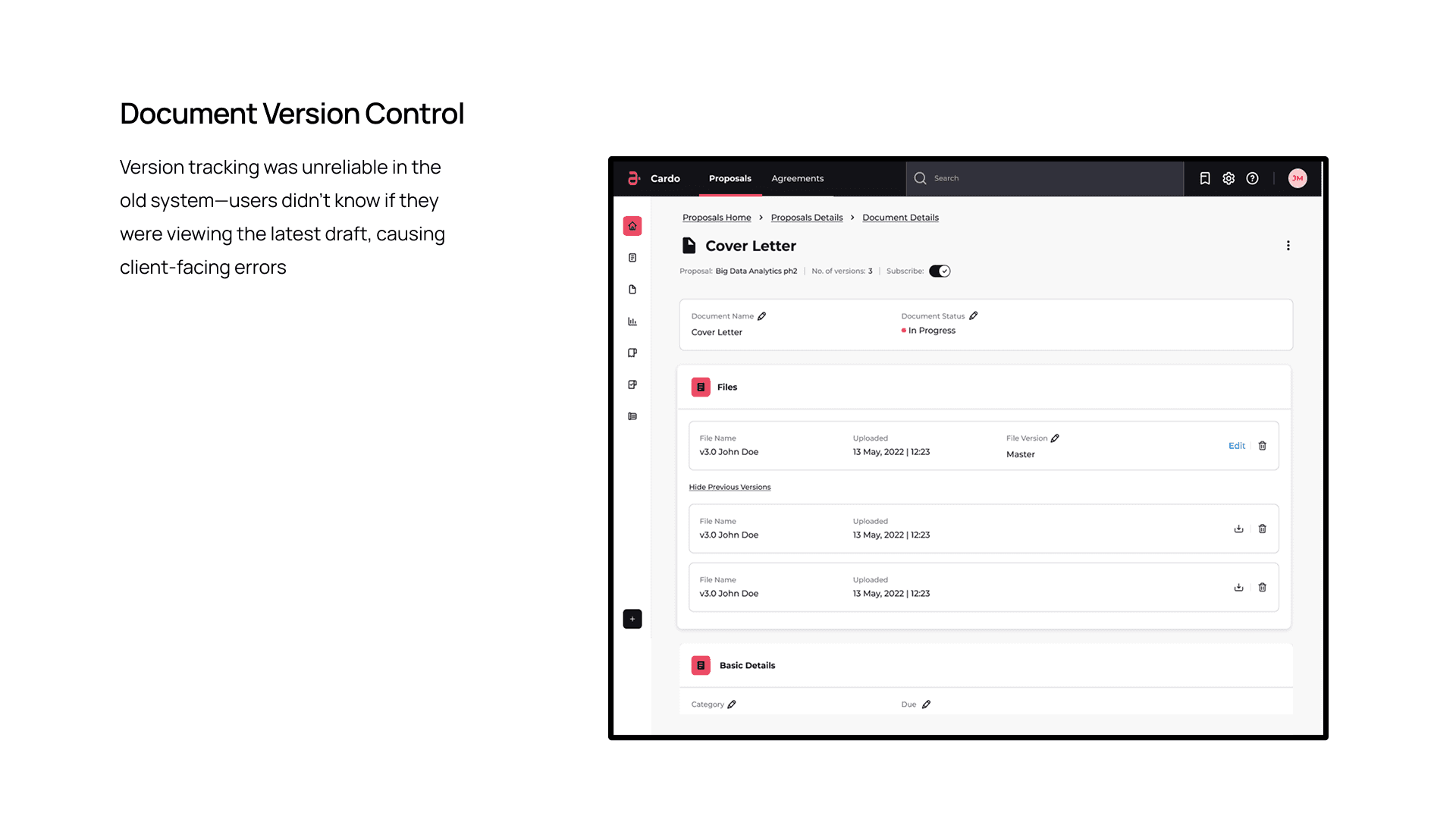
Document version control with clear "Master" version labeling and previous versions accessible
Modal for document upload with proper categorization, status, and metadata fields
Why This:
Heuristic evaluation showed "Consistency and Standards" violations—users confused by "View" vs. "Organise" labels. Tabs provide clear mental models and reduce visual clutter.
Research revealed teams needed to see who was waiting on whom—the Team tab solved this
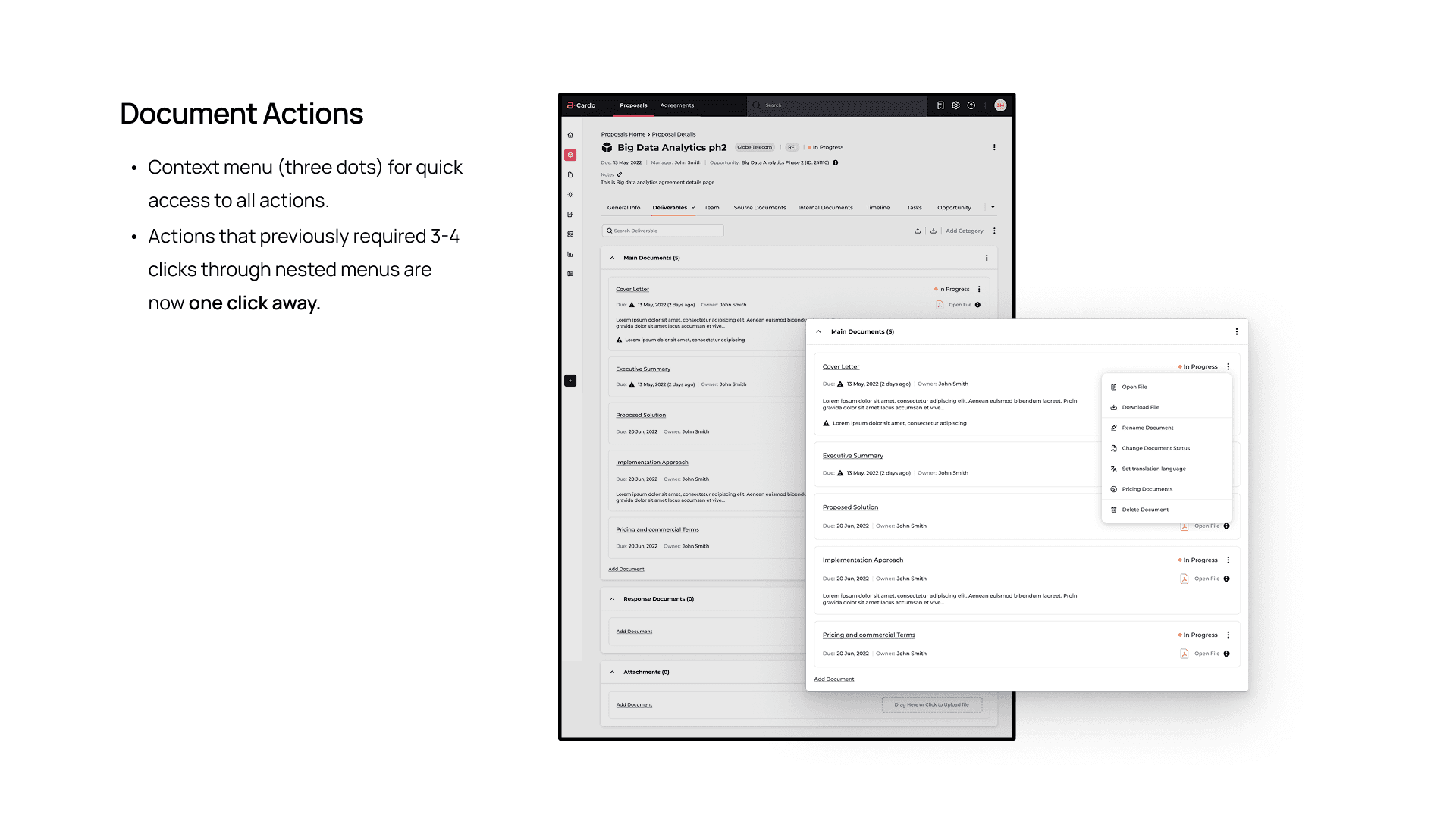
Document actions (Open, Download, Remove, Change Status, Set Translation Language, Pricing Documents, Delete) were buried—now accessible via context menus
Version confusion was causing client errors—we made the "Master" version explicit with toggle to show previous versions
Key Micro-Interactions:
Document reorganization: Drag-and-drop or dropdown to move documents between categories
Document rename: Inline editing for category names
Document actions: Context menu (three dots) for quick access to all actions
Team member roles: Clear display of role, contact info, and "Viewer Only" permissions
Use the Slider in center to view BEFORE and AFTER design.
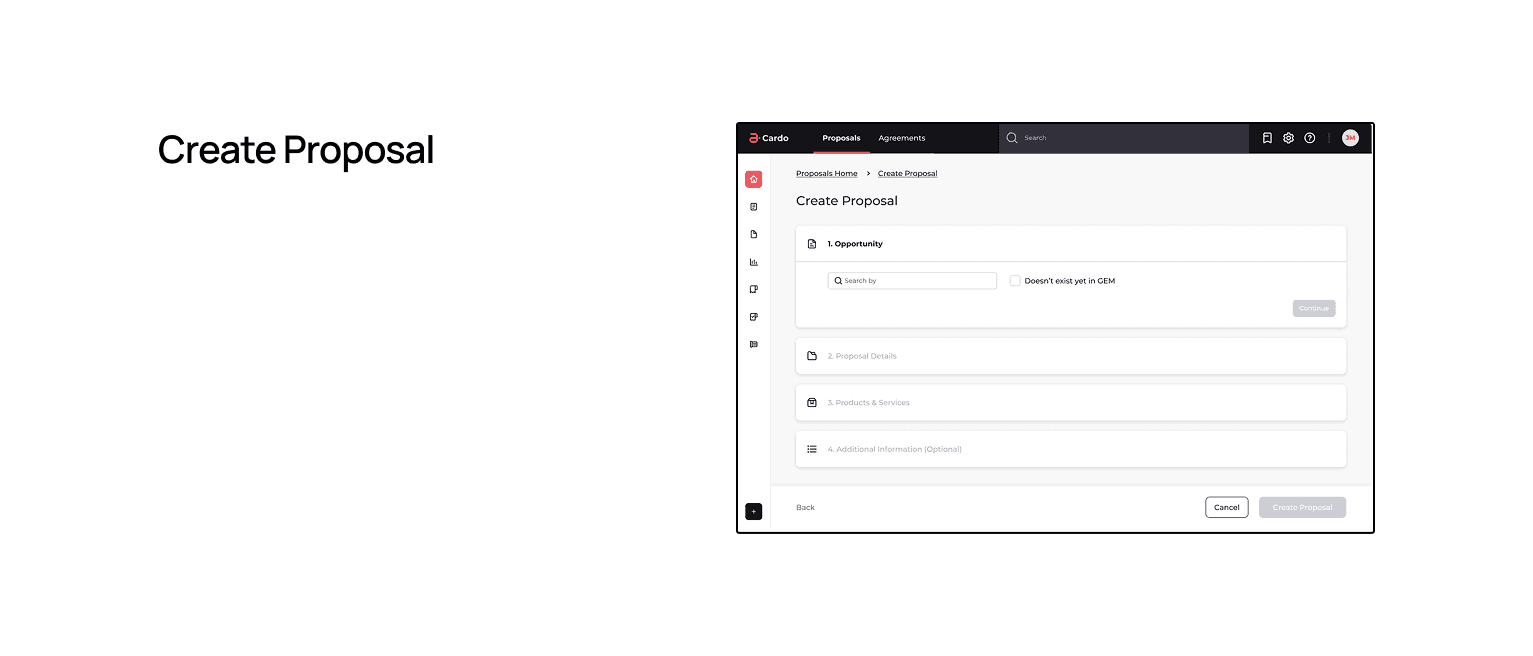
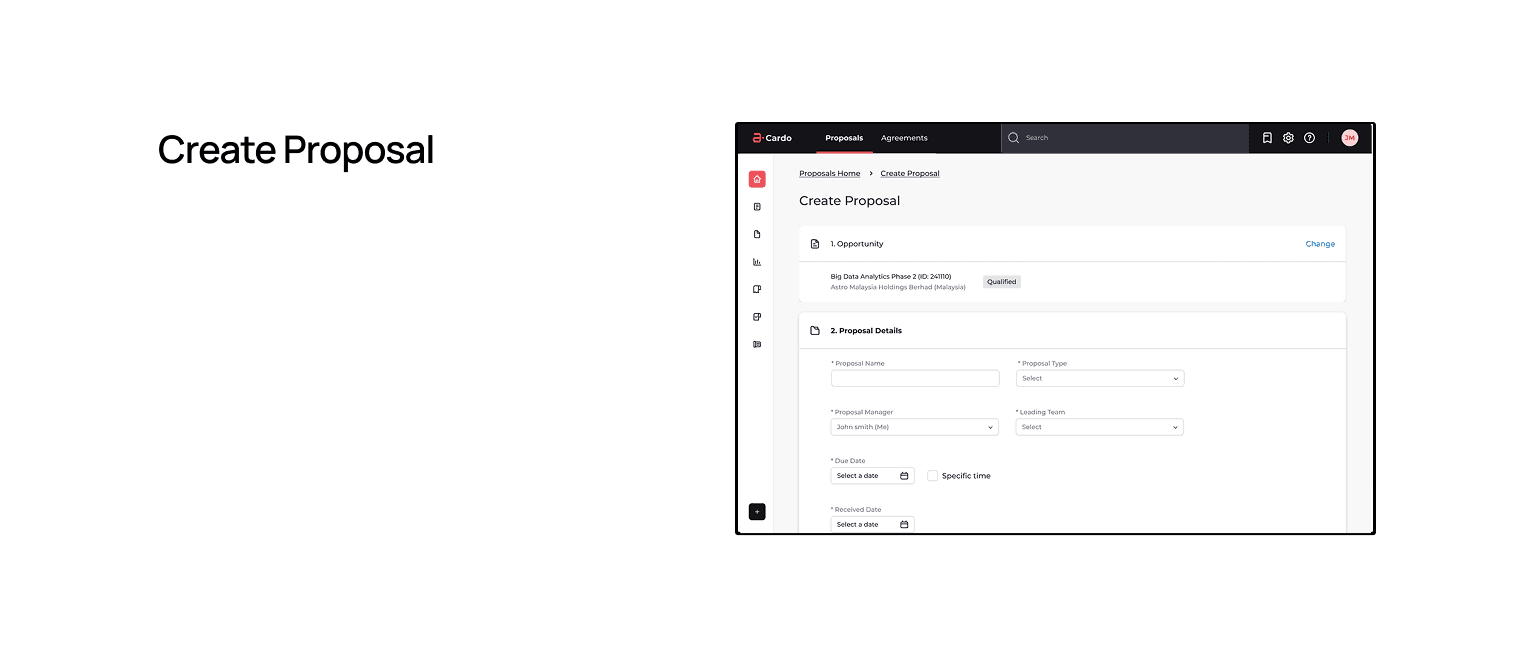
Decision #4: Streamlined Creation Flow with Progressive Disclosure
The Change:
Reduced proposal creation from 12 steps to 4 using:
Why This:
Heuristic evaluation showed "Visibility of System Status" violations—users didn't know where they were in the process
Contextual inquiry showed users spent time filling fields they didn't understand or that weren't required
"Match Between System and Real World" violations—field types weren't displayed, many fields were irrelevant
Use the Slider in center to view BEFORE and AFTER design.
Impact Metrics
↑ ~58% faster
Time to create a proposal
Creation flow
Support Ticket
See also

Streamlining Design operations | Toronto JS
A case study on how I solved async collaboration challenges for TorontoJS design team
Streamlining Infrastructure Mapping for Metro-X
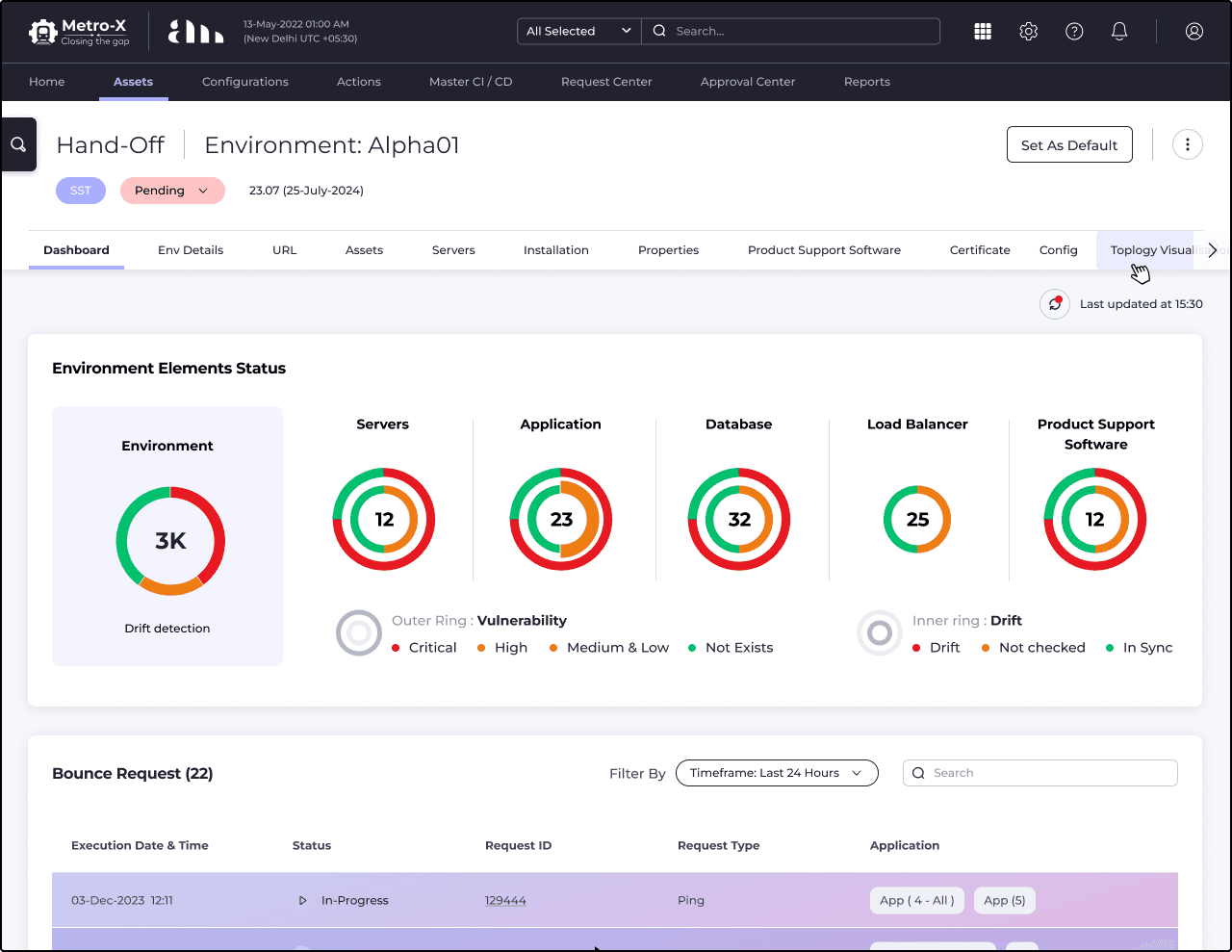
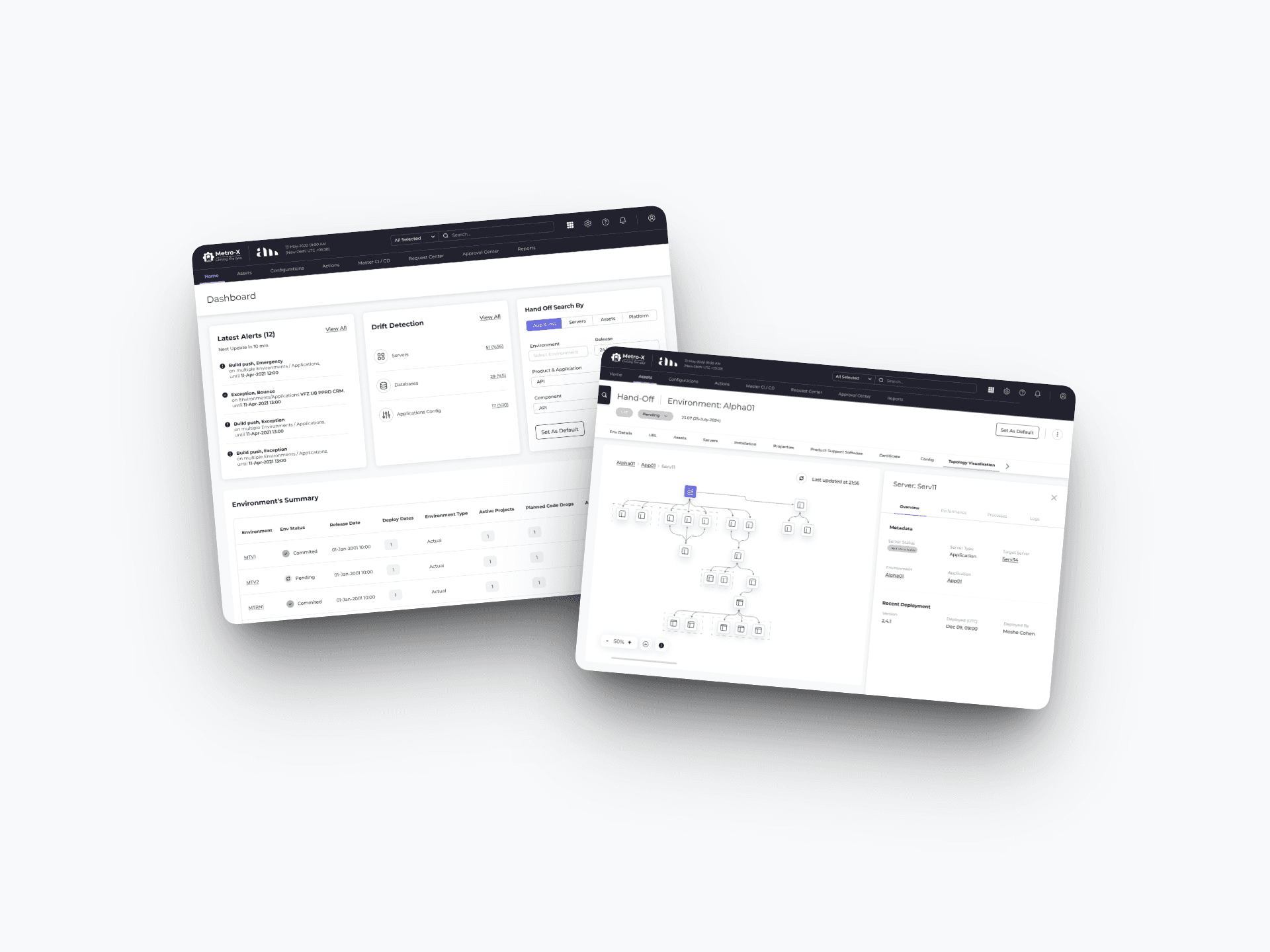
When an outage hits, every minute costs money. DevOps teams at Amdocs were spending 40% of incident response time just figuring out what's connected to what. I designed the system that gave them that answer in seconds.
From Scattered Bookmarks to Strategic Curation: Building Designroadmap
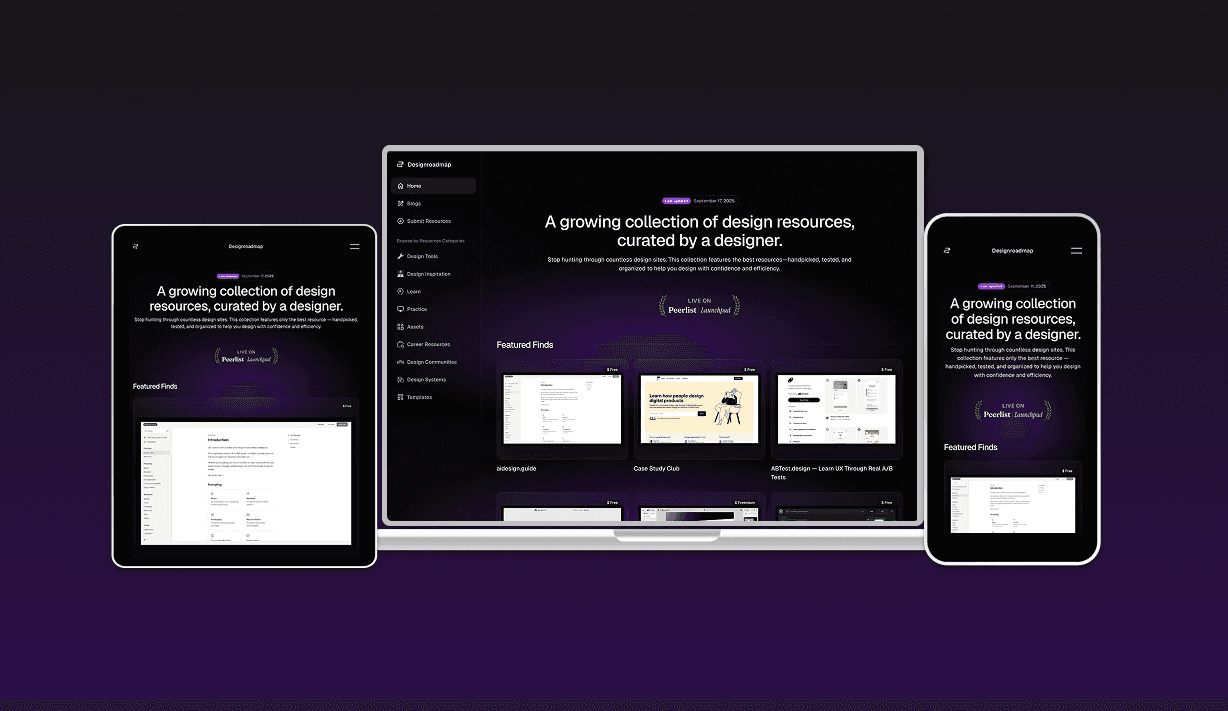
How solving my own resource discovery problem became Designroadmap—a focused, quality-first alternative to overwhelming design directories